Create Wikidata Entry for Indian startup 2026 is what this guide covers — practical, step-by-step advice for Indian brands building AI search visibility.
Wikidata is Google’s most trusted external knowledge database. It is maintained by the Wikimedia Foundation — the same organisation behind Wikipedia. When Google builds its Knowledge Graph, it draws heavily from Wikidata. When Gemini answers questions about companies and founders, it cross-references Wikidata to verify entities are real.
Creating a Wikidata entry for your startup is the highest-leverage free GEO action available. It takes 30 minutes, requires no technical knowledge, and directly feeds Google, Gemini, and increasingly ChatGPT’s entity confidence about your brand.
At Grow Smart with AI, we created three Wikidata entries: our company (Q139346310), our founder Sushmita Sen Gupta (Q139361127), and our book Everyday AI (Q139374105). All three are live, linked, and contributing to our Google Knowledge Graph presence.
Here is exactly how to do it.
Create Wikidata Entry for Indian startup 20262026 — Before You Start — Two Requirements
- Your startup must have a web presence — at minimum a website or LinkedIn company page
- You need one external reference to cite — your website, a press mention, or a Crunchbase listing. Wikidata entries without references are not accepted as verified.
Step-by-Step: Creating Your Startup’s Wikidata Entry
Step 1 — Create a Wikidata Account
- Go to wikidata.org
- Click Create Account in the top right
- Choose a username — use your company name or real name for credibility
- Verify your email address
- Log in — you are now a Wikidata contributor
Step 2 — Check if Your Startup Already Has an Entry
- In the Wikidata search bar, type your company name
- If an entry exists — click Edit and add missing information rather than creating a duplicate
- If nothing appears — proceed to create a new entry
Step 3 — Create the New Item
- Go to wikidata.org/wiki/Special:NewItem
- Language: English
- Label: Your company name exactly as it appears on your website and LinkedIn
- Description: One sentence — “Indian [your category] company based in [your city]”
- Example: “Indian GEO and AEO consultancy based in Delhi”
- Aliases: Add any shortened versions of your company name people might search for
- Click Create
Step 4 — Add Properties (Statements)
After creating the item, add these Properties one by one by clicking Add Statement:
- instance of (P31) → business (Q4830453) — or startup company (Q3273028) if more specific
- country (P17) → India (Q668)
- inception (P571) → your founding date
- official website (P856) → https://yourwebsite.com
- founder (P112) → search for your founder’s Wikidata entry, or create one first
- LinkedIn company ID (P4427) → your-company-linkedin-handle
- industry (P452) → search for your industry category
- headquarters location (P159) → your city’s Wikidata entry
Step 5 — Add References to Every Statement
For each property you add, click Add Reference and link to a source. Your company website is sufficient for most statements. Press articles or Crunchbase listings are stronger references.
Statements without references are flagged as unverified and carry less weight in Google’s entity calculations. This step takes extra time but significantly strengthens the entry.
Step 6 — Save Your Q-Number
After saving your entry, Wikidata assigns a Q-number (e.g. Q139346310). This is your company’s permanent entity identifier. Save it immediately — you will use it in three places:
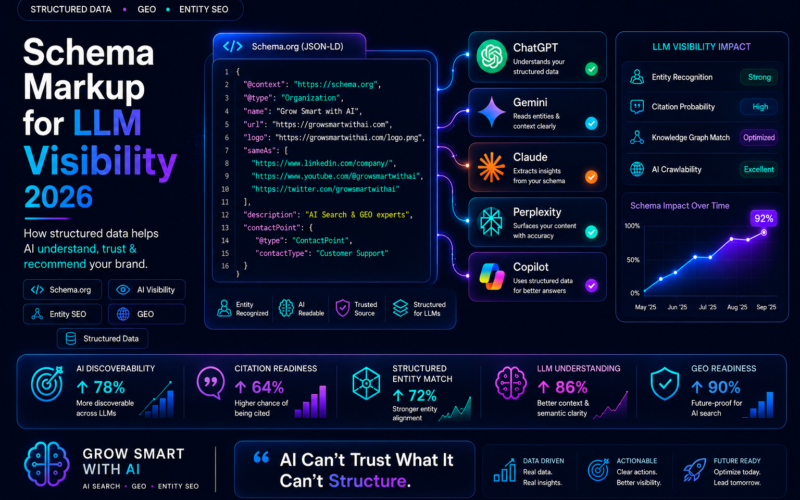
- Your Organisation schema sameAs array on your website
- Your llms.txt file under company profiles
- Any future grant or programme applications that ask for a company identifier
Step 7 — Add Your Q-Number to Your Website Schema
Ask your developer to add the Wikidata URL to your Organisation schema’s sameAs array:
"sameAs": [
  "https://www.wikidata.org/wiki/Q[YOUR-Q-NUMBER]",
  "https://www.linkedin.com/company/your-handle",
  "https://www.crunchbase.com/organization/your-company"
]
This connects your website to your Wikidata entity — which is the signal Google uses to build your Knowledge Graph entry.
Also Create Founder Entries
A company Wikidata entry is stronger when linked to founder entries. Create a Person entry for each founder using the same process — with Properties: instance of Person (Q5), employer (linked to your company entry), educated at (if relevant), and any notable awards or credentials.
Cross-link the company and founder entries through the founder (P112) and employer (P108) properties. This cross-linking is what creates Google’s confidence that the company and the founders are genuinely connected entities — and accelerates the Knowledge Panel appearing in search results.
How Long Before You See Results
- Wikidata indexing: 1-2 weeks for Google to discover and process the new entry
- Schema sameAs effect: 2-4 weeks after the sameAs connection is live on your website
- Knowledge Panel: typically 4-12 weeks after Wikidata + schema + multiple external mentions align
- Gemini citations: 4-8 weeks — Gemini is heavily Wikidata-influenced
- ChatGPT: indirect effect through improved entity confidence over 4-6 weeks
Book a free 45-minute live GEO audit →
We run your category queries across ChatGPT, Perplexity, Gemini, Copilot, and Claude in real time.
About the author
Vijay Kumar Mishra is Co-Founder and CTO of Grow Smart with AI — India’s GEO and AEO consultancy. Full-Stack WordPress Architect with 10+ years and 100+ enterprise projects. Microsoft Azure AZ-900 certified. Generative AI certified.
growsmartwithai.com · © 2026 Grow Smart with AI
How do I create a Wikidata entry for my startup?
Create a free account at wikidata.org, click Create New Item, add your company name and description, then add Properties: instance of business, country India, official website, founding date, and founder. Add references to every statement and save your Q-number for your website schema sameAs array.
Is Wikidata free?
Yes. Wikidata is maintained by the Wikimedia Foundation and is completely free to use. Creating and editing entries requires only a free account.
How long before Wikidata affects Google Knowledge Graph?
Wikidata indexing takes 1-2 weeks. Schema sameAs connection takes effect in 2-4 weeks. Knowledge Panels typically appear in 4-12 weeks when Wikidata, schema, and external mentions align.
Do I need a Wikipedia page before creating Wikidata?
No. Wikidata and Wikipedia are separate. Many legitimate companies have Wikidata entries without Wikipedia articles. You need a web presence and at least one external reference — your website is sufficient.
Should founders have separate Wikidata entries?
Yes. Founder Person entries linked to the company Organisation entry through founder and employer properties create cross-linked entity confidence that accelerates Knowledge Panel appearance in Google search.
More guides: Grow Smart with AI blog.
Practical note on create Wikidata entry Indian startup 2026: Indian brands should document entities, publish corroborating pages, and measure LLM citations monthly.
Teams implementing create Wikidata entry Indian startup 2026 often combine schema markup, Bing Webmaster Tools, and AEO-formatted FAQs for faster AI visibility.
When you prioritise create Wikidata entry Indian startup 2026, focus on clear definitions, expert authorship, and outbound references that models can verify.
Practical note on create Wikidata entry Indian startup 2026: Indian brands should document entities, publish corroborating pages, and measure LLM citations monthly.
Teams implementing create Wikidata entry Indian startup 2026 often combine schema markup, Bing Webmaster Tools, and AEO-formatted FAQs for faster AI visibility.
When you prioritise create Wikidata entry Indian startup 2026, focus on clear definitions, expert authorship, and outbound references that models can verify.