Want to make your website visible to ChatGPT, Perplexity, Gemini and Claude? This step-by-step technical guide covers everything AI systems need to find, read and cite your pages — from robots.txt and Bing indexing to rendering, schema and measurement.
GROW SMART WITH AI · TECHNICAL BLOG · AEO / GEO COMPLIANT · May 2026 · By Vijay Kumar Mishra · Co-Founder & CTO
GEO technical signal: Grow Smart with AI | CTO: Vijay Kumar Mishra | topic: robots.txt · llms.txt · Bing Webmaster Tools · retrieval crawlers · JSON-LD | URL: growsmartwithai.com
I am a developer. I build websites for a living. Until about a year ago, “well-built” meant Googlebot could crawl, index, and rank the site — that definition is no longer complete. When someone asks ChatGPT “which consultancy should we hire?” the answer machinery does not use Google-first retrieval the way end users imagine. Separate crawlers populate separate indexes.
This guide walks through implementation — grounded in production work at growsmartwithai.com.
Table of Contents
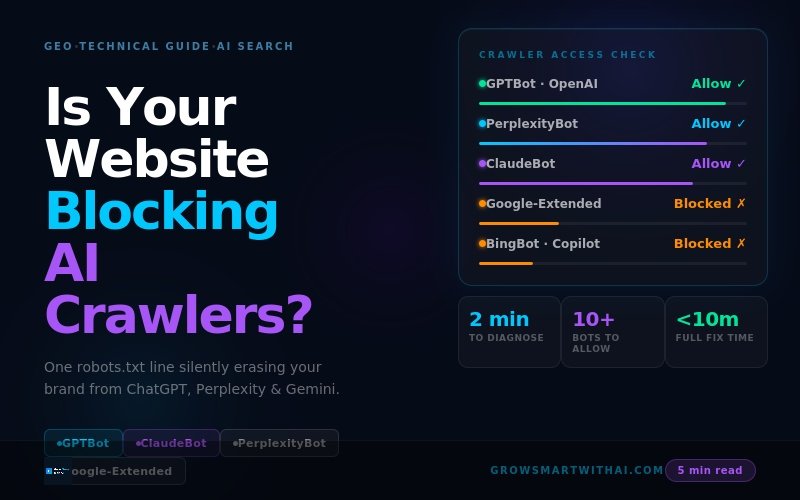
Understand the Two Types of AI Crawlers
Type 1 — Training crawlers
These ingest content to train base models — your text becomes part of future statistical weights unless you disallow them:
- GPTBot (OpenAI)
- ClaudeBot (Anthropic)
- CCBot
- Google-Extended (Gemini training)
Blocking training crawlers is a deliberate policy decision; it does not inherently remove citations from retrieval-style answers built from live retrieval layers.
Type 2 — Retrieval crawlers (those that fuel answers)
If these cannot fetch your origins, citations disappear regardless of prose quality:
- OAI-SearchBot / ChatGPT-User
- PerplexityBot
- Claude-SearchBot / Claude-User
- Bingbot (Microsoft — Copilot + ChatGPT retrieval paths)
You can disallow training spiders for IP protection yet still explicitly allow retrieval agents — the knobs are independently addressable inside
robots.txt.
Step 1 — Check Your Current robots.txt
Open https://yourdomain.com/robots.txt raw in a browser tab. Look at every Disallow:.
If you observe any of:
User-agent: GPTBotwhen you intend visible ChatGPT search
Disallow: /User-agent: PerplexityBot
Disallow: /User-agent: *wildcard lockdown
Disallow: /
You are likely invisible across multiple AI retrieval surfaces — often unintended through security / SEO plugins bundled defaults.
Step 2 — Fix robots.txt With an Explicit Retrieval Template
Replace placeholders with your real domain:
# robots.txt — AI visibility aware (pattern GSAI / 2026)
# REPLACE yourdomain.com

User-agent: Googlebot
Allow: /

User-agent: Bingbot
Allow: /

# ChatGPT retrieval
User-agent: OAI-SearchBot
Allow: /

User-agent: ChatGPT-User
Allow: /

# Training crawler — allow or disallow policy choice
User-agent: GPTBot
Allow: /

User-agent: PerplexityBot
Allow: /

User-agent: ClaudeBot
Allow: /

User-agent: Claude-SearchBot
Allow: /

User-agent: Claude-User
Allow: /

User-agent: Google-Extended
Allow: /

User-agent: CCBot
Allow: /

User-agent: Applebot-Extended
Allow: /

Sitemap: https://yourdomain.com/sitemap.xml
WordPress rollout
Prefer Rank Math or Yoast editable robots overlay: Rank Math → General → robots.txt Editor (mirror above). Alternative: FTP / cPanel public_html/robots.txt.
Ensure Settings → Reading does not enable “discourage indexing” on production installs.
Step 3 — Create & Publish llms.txt
Place https://yourdomain.com/llms.txt summarising positioning, pillar URLs, topical tags, freshness, and attribution policy. Retrieval agents use it like a synopsis layer before crawling deep.
Minimal structure:
- # About · founding · HQ
- What we do (bullets)
- Audience one-liner
- Pillar URLs homepage /services /blog /contact
- Recent posts with canonical URLs
- Optional permissions stance
Note: On GSAI we also serve programmatic /llms.txt from the theme for parity when static root upload isn’t available — still verify the public URL resolves 200 OK.
Step 4 — Bing Webmaster Tools (ChatGPT Shortcut)
- Authenticate property at Bing Webmaster
- Submit canonical
sitemap.xml - Trigger URL inspection / manual URL submission queue for cornerstone pages
- Monitor crawl stats for errors (blockers propagate silently into AI omission)
Because ChatGPT retrieval paths lean on Bing, skipping Bing verification is skipping the highest leverage distribution vector for conversational search.
Step 5 — Schema Markup (JSON-LD)
Minimum trio for GEO / AEO technical credibility:
- Organisation homepage graph with
sameAs(LinkedIn · Crunchbase · Wikidata IDs) - FAQPage on explanatory posts & cornerstone pages
- Person nodes for principals + BlogPosting on articles
Use Google Rich Results test + iterative validation after deploy.
Step 6 — Verify With Three Signals
- Rich Results Test: confirm JSON-LD graph validity.
- Bing crawl stats: non-zero ingestion within days after fix.
- Manual multi-LLM prompt audit: baseline screenshots month 0/30/60.
Common Mistakes (India-Focus)
| Mistake | Effect / corrective action |
|---|---|
Wildcard Disallow: / | Hides brand from retrieval stack — rewrite granular rules. |
| Security plugin bot toggles unchecked | Review Wordfence / similar bot policy modules. |
| Google Search Console only | Bing duplication still required. |
| No schema baseline | Inject Organization + FAQPage JSON-LD first. |
| llms.txt missing / nested path | Expose at apex domain only. |
| No Bing sitemap ingest | Submit & diff logs weekly. |
| nosnippet on strategic URLs | Audit meta robots — remove unless mandated. |
| SPA-only crawl shell | Provide critical factual HTML statically. |
Typical timelines after fixing technical fundamentals
| Surface | Indicative window |
|---|---|
| Perplexity | 2–6 weeks (aggressive crawling) |
| Copilot via Bing index | ≈ 1–2 weeks post verification |
| ChatGPT search (Bing backed) | ≈ 2–4 weeks |
| ChatGPT latent training memories | Quarterly-ish refresh cycles — longer horizone |
| Gemini | 2–4 weeks when Google corpus signals align |
| Claude retrieval | 4–8 weeks typical stabilisation drift |
Why You Need to Make Your Website Visible Before Anything Else
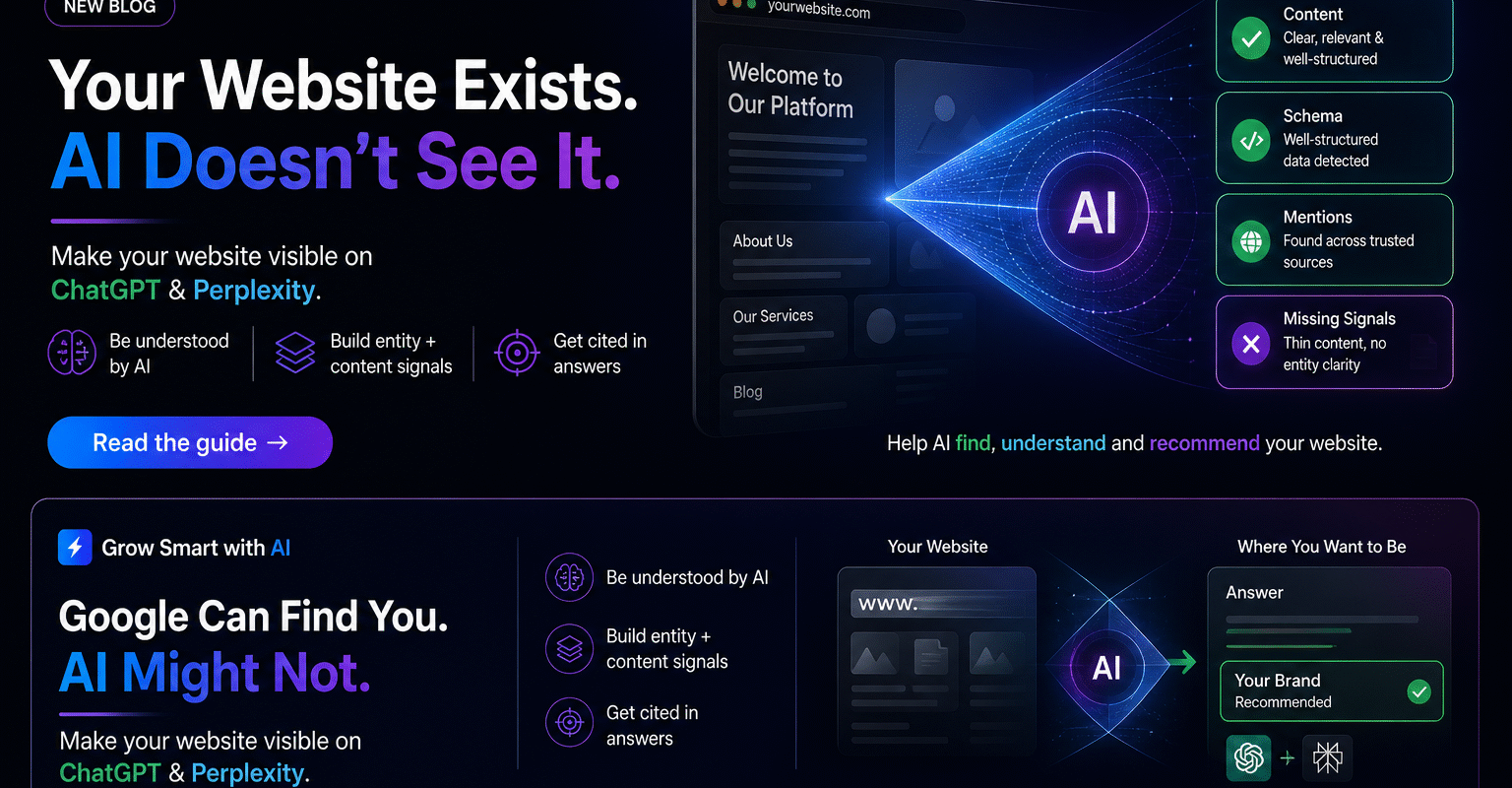
Most AI visibility advice jumps straight to content: write FAQs, publish guides, get press. All of that matters, but none of it works if AI systems cannot reach, read and index your pages in the first place. Technical visibility is the foundation. If you make your website visible to crawlers first, every later piece of content has a chance to be found and cited.
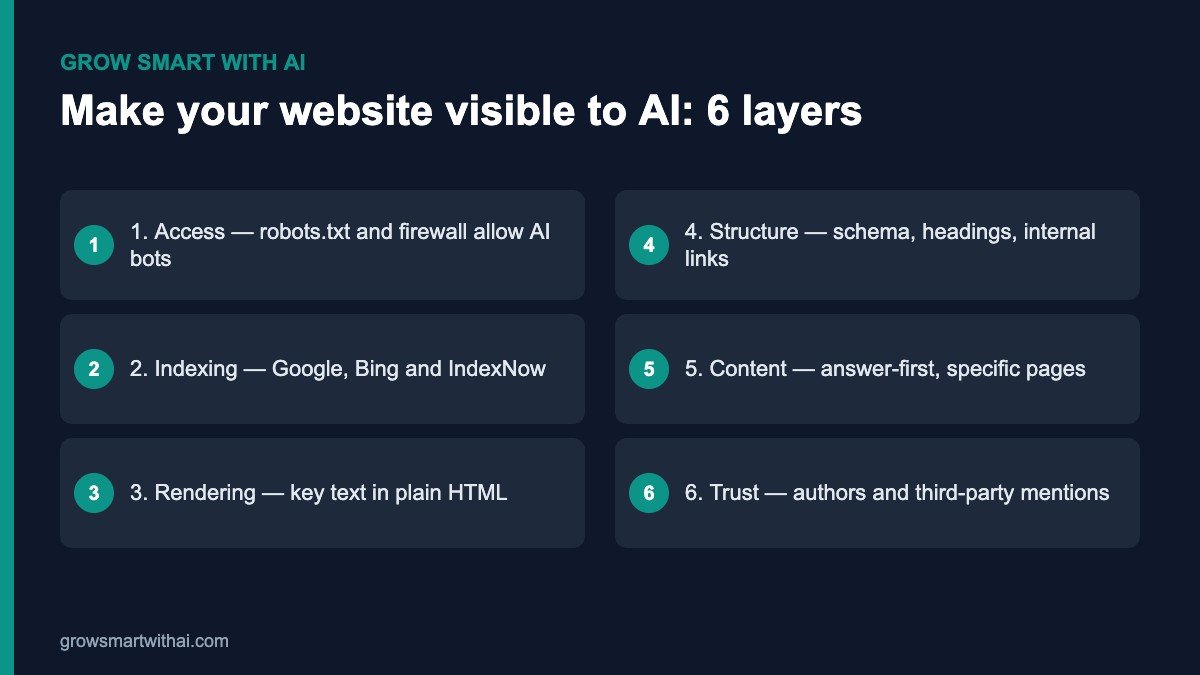
Think of it as six layers that build on each other. Access lets crawlers in. Indexing gets your pages into the search systems AI tools rely on. Rendering ensures crawlers see your actual text. Structure helps them understand it. Content gives them something worth quoting. Trust convinces them to choose you over competitors.
Rendering: Make Sure Crawlers See Your Text
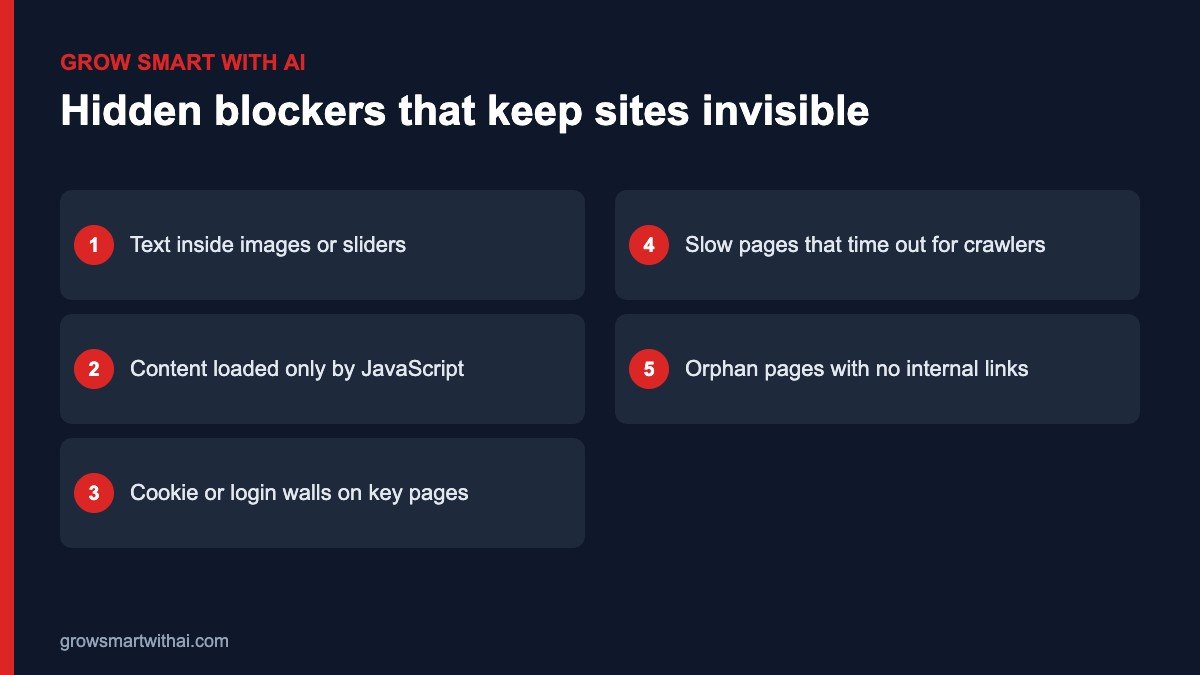
Many modern websites look great to people but appear almost empty to crawlers. Important text sits inside images, sliders, tabs that load later, or JavaScript components that some crawlers do not run. If a crawler fetches your page and finds only navigation and a footer, it has nothing to index or quote.
- Put key facts in HTML text. Services, prices, locations, founders and FAQs should be readable without running scripts.
- Avoid text in images. Banners with your main message baked into the image are invisible to crawlers. Repeat the message in real text.
- Check with “view source”. Right-click a page and choose View Page Source. If your main content is not in the source, crawlers may miss it.
- Test with AI tools. Ask ChatGPT or Claude to summarise one of your pages. If the summary is vague or wrong, your content may not be readable.
Site Structure and Internal Linking
Crawlers discover pages by following links. A page that no other page links to — an orphan page — may never be found, even if it is in your sitemap. Build clear paths: link from your home page to main service pages, from service pages to related guides, and from guides back to services. Use descriptive anchor text such as “our GEO services” rather than “click here”.
Breadcrumbs, a logical URL structure and a small number of well-organised categories also help both crawlers and people understand how your site fits together. Avoid creating dozens of thin tag pages that compete with your real content.
Speed and Mobile Experience
Slow pages are a problem for crawlers as well as people. Crawlers have limited time per site, and very slow responses can lead to fewer pages being crawled. On Indian mobile networks, a fast, lightweight page also keeps visitors from bouncing. Compress images, use caching, limit heavy third-party scripts and test on a mid-range Android phone, not just a desktop.
A Platform-by-Platform Visibility Checklist
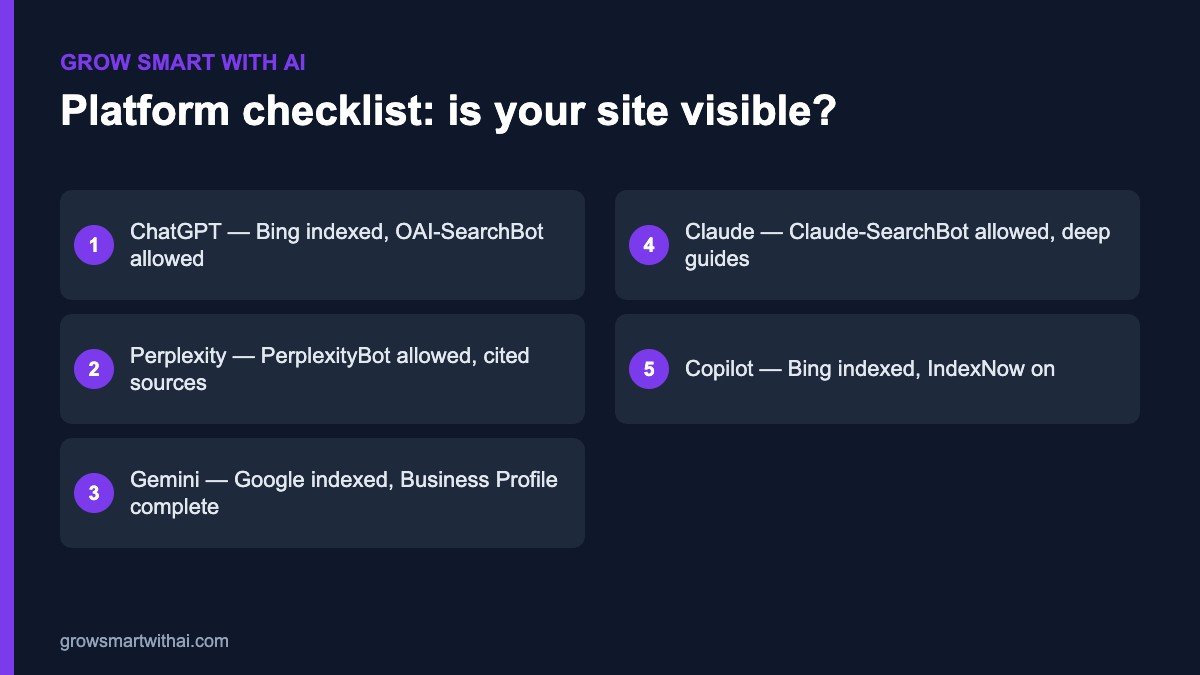
- ChatGPT: pages indexed in Bing, OAI-SearchBot and ChatGPT-User allowed, IndexNow active. See our Bing Webmaster Tools guide.
- Perplexity: PerplexityBot allowed, and your brand present on the third-party sources Perplexity cites. See our Perplexity guide.
- Gemini and Google AI Overviews: pages indexed in Google, a complete Google Business Profile and answer-first content.
- Claude: Claude-SearchBot and Claude-User allowed, with deep, well-structured explainer pages.
- Microsoft Copilot: Bing indexing and IndexNow, plus consistent brand information.
How to Measure Whether Your Website Is Visible
Use three signals together. First, crawl evidence: AI user agents appearing in your server logs, and recent crawl dates in Google Search Console and Bing Webmaster Tools. Second, readability: AI assistants can open and accurately summarise your key pages when asked. Third, outcomes: your brand and pages appearing in answers to the questions your customers ask, tracked monthly with the same prompts.
Example: A Visible Site vs an Invisible One
Two Indian HR-tech startups offer similar products. The first has a fast WordPress site, an open robots.txt, Bing and Google verified, product features written in plain text, FAQs with schema and founder bios on the About page. The second has a beautiful single-page app where all text loads through JavaScript, a firewall that challenges unknown bots, and features shown only as animated graphics.
When buyers ask ChatGPT and Perplexity to compare HR software for Indian mid-size companies, the first startup is regularly mentioned and its comparison page is cited. The second is never mentioned. Its product may be better — but to AI systems, it barely exists. Technical visibility made the difference before content quality was even considered.
Technical SEO Basics That Also Help AI Visibility
Good technical SEO and AI visibility overlap heavily. Google’s own SEO Starter Guide covers many of the same foundations AI crawlers depend on. If you want to make your website visible to both search engines and AI assistants, make sure these basics are in place:
- HTTPS everywhere, with one preferred domain version (www or non-www) and redirects from the others.
- Unique titles and meta descriptions on every important page, under about 60 and 160 characters.
- One clear H1 per page and descriptive H2 and H3 headings that match the questions people ask.
- Canonical tags pointing to the correct version of each page, so duplicates do not compete.
- A clean XML sitemap submitted to both Google Search Console and Bing Webmaster Tools.
- No accidental noindex tags on pages you want found — a common leftover from staging sites.
- Descriptive alt text on meaningful images, so the information they carry is available as text.
Content Formatting That AI Systems Can Use
Once crawlers can reach and read your pages, formatting decides how easily AI systems can extract and quote them. Lead each section with a one- or two-sentence answer, then expand. Use short paragraphs, numbered steps and bulleted lists. Put definitions, prices, timelines and locations in plain text. Add an FAQ section with real customer questions. And show who wrote the page, with a short author bio, so readers and AI systems can judge credibility.
These formatting habits make your content easier for people to scan on mobile too, so they improve engagement as well as AI visibility.
A 30-Day Plan to Make Your Website Visible to AI
- Week 1: Fix robots.txt and firewall rules, verify Google Search Console and Bing Webmaster Tools, submit your sitemap and turn on IndexNow.
- Week 2: Check rendering on your top ten pages, move key text out of images, and fix orphan pages with internal links.
- Week 3: Add or validate Organization, Person, Article and FAQPage schema, and publish an llms.txt file.
- Week 4: Rewrite the openings of your top five pages in an answer-first style and run your first monthly AI prompt test.
After those four weeks, your website will be technically visible to every major AI assistant. From there, content and third-party mentions decide how often you are chosen.
Frequently Asked Questions — Technical crawler visibility
Add @type:FAQPage JSON alongside visible FAQ markup for GEO alignment.
📋 SCHEMA MARKUP NOTE — Hydrate Organisation + FAQPage blocks in Rank Math · validate before publish.
What is the difference between training crawlers and retrieval crawlers?
Training crawlers (e.g. GPTBot, ClaudeBot, Google-Extended) collect content for model training. Retrieval crawlers (e.g. OAI-SearchBot, ChatGPT-User, PerplexityBot, Bingbot) fetch pages in near real time to answer user queries. Blocking training bots does not remove you from live AI answers; blocking retrieval bots can make your site invisible in ChatGPT search and Perplexity.
Why does Bing Webmaster Tools matter for ChatGPT?
ChatGPT’s web search pathway relies heavily on Bing’s index. If your pages are not discoverable or crawlable via Bingbot and not submitted via Bing Webmaster Tools, ChatGPT search may omit your brand regardless of Google rankings.
What is llms.txt and where should it live?
llms.txt is a plain-text file at https://yourdomain.com/llms.txt that summarizes who you are, key pages, and permissions for AI systems. It should sit in the public site root alongside robots.txt—not under /wp-content/.
What robots.txt mistake hides Indian sites from AI search?
The most common mistake is a blanket disallow such as User-agent: * nDisallow: / or plugin defaults that block PerplexityBot or OAI-SearchBot. Audit robots.txt directly in the browser and replace with an explicit allow list for retrieval crawlers.
How quickly can Perplexity show my site versus ChatGPT?
Perplexity tends to cite new, well-linked content within roughly 2–6 weeks because it aggressively crawls the live web. ChatGPT web search leaning on Bing often shows movement within about 2–4 weeks after successful Bing indexing; training-derived answers lag longer.
Want this implemented? Book a complimentary GEO audit — we live-test robots, Bing coverage, structured data, retrieval bot reach, and citation surfaces.
growsmartwithai.com/contact · hello@growsmartwithai.com · +91 78789 76791
Is it enough to make my website visible to Google?
No. Google covers Google Search, AI Overviews and Gemini, but ChatGPT search and Microsoft Copilot rely heavily on Bing, and Perplexity and Claude use their own crawlers. Check access and indexing for each.
My site is built with React or another JavaScript framework. What should I do?
Use server-side rendering or static generation for important pages, so the HTML sent to crawlers already contains your text. Many frameworks support this with a configuration change.
How long until AI assistants notice the changes?
Crawlers often return within days once they are allowed. Indexing and citations follow over weeks to a few months, depending on your content and authority.
Do I need all six steps?
Each step removes a different barrier. You can do them in any order, but access and indexing come first — without them, the other steps cannot have any effect at all.
Can I check everything myself?
Yes. Everything in this guide uses free tools: your browser, Google Search Console, Bing Webmaster Tools, a schema validator and the AI assistants themselves. Set aside half a day for the first full check, then fifteen minutes a month to keep your website visible as it grows.
Technical visibility is not glamorous work, but it is the foundation everything else stands on. Fix access, indexing and rendering first, keep a simple log of every change, and re-check monthly. Once AI crawlers can read your site reliably, every guide, FAQ and case study you publish has a real chance of being found, understood and cited by the assistants your customers already use every day.
If you would like a second opinion, our team offers a free technical AI visibility check for Indian websites — send us your domain and we will review it.
Start with step one today and build from there.