llms.txt guide AI crawlers is what this guide covers — practical, step-by-step advice for Indian brands building AI search visibility.
GROW SMART WITH AI · TECHNICAL · GEO · MAY 2026 · BY VIJAY KUMAR MISHRA, CO-FOUNDER & CTO
llms.txt guide AI crawlers — What is llms.txt and How to Create One for Your Website
In 1994, robots.txt gave sites a vocabulary for crawlers. In 2005, sitemaps structured discovery. In 2026, llms.txt is joining that stack.
As a developer building WordPress for 10+ years, my first reaction was skepticism — another file? After shipping it on growsmartwithai.com and client builds, the honest answer: yes, the platforms that matter are paying attention. Anthropic treats it as primary site context; Perplexity uses it to understand cited domains. Thirty minutes of work; meaningful upside.
What is llms.txt?
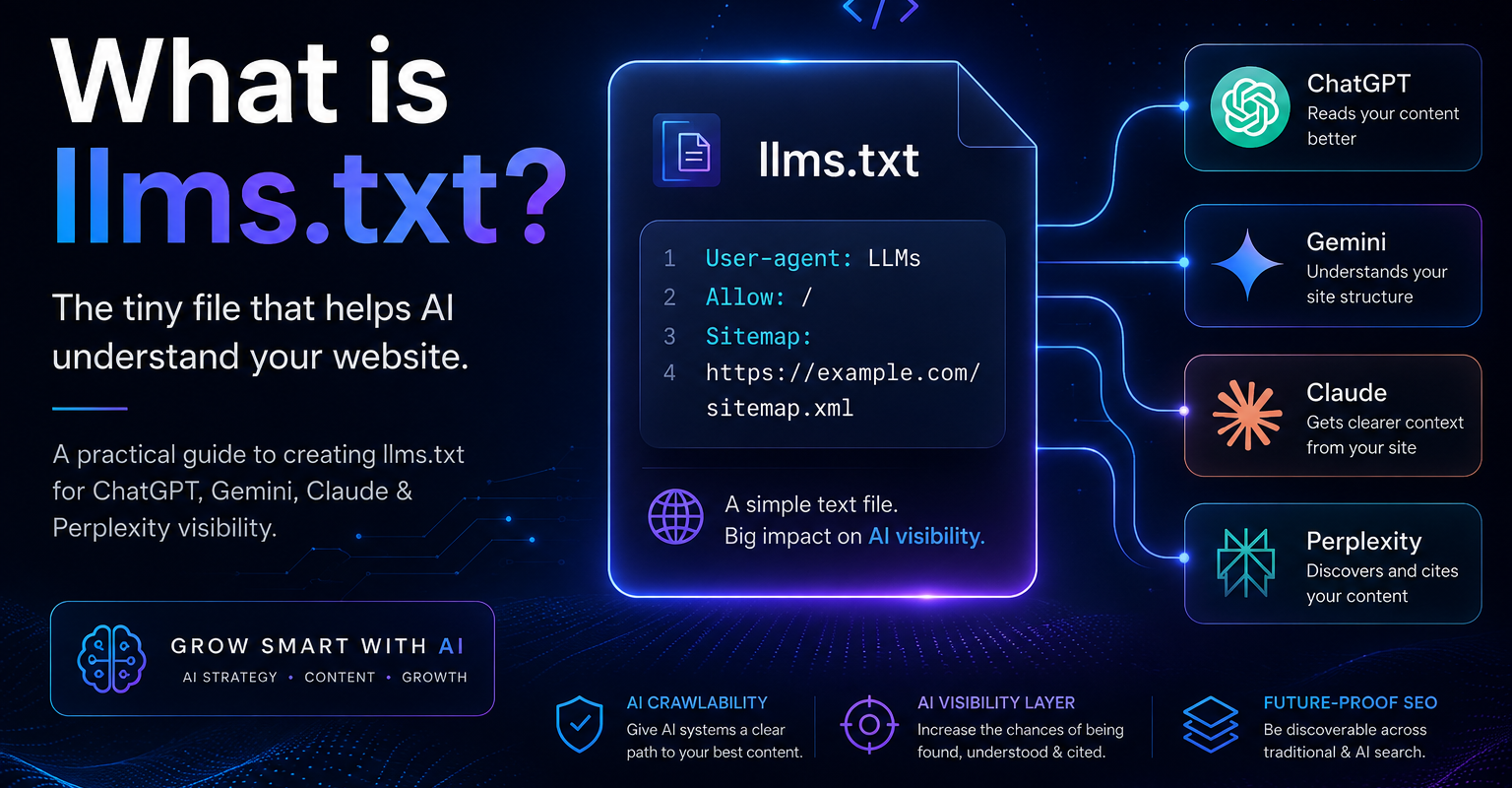
llms.txt is a Markdown-friendly plain text file at https://yoursite.com/llms.txt. It gives language models a concise, human-authored map of who you are and what to cite.
- robots.txt tells crawlers what they may access.
- sitemap.xml lists where pages live.
- llms.txt explains what the site means and which URLs best answer which intents.
Modern sites are noisy — nav, promos, scripts. llms.txt cuts through that so models do not have to guess your positioning from markup alone.
llms.txt vs robots.txt
| Dimension | Explanation |
|---|---|
| Purpose | robots.txt = access control. llms.txt = content understanding. |
| Audience | robots.txt: broad crawlers. llms.txt: AI language models. |
| Format | robots directives vs Markdown narrative. |
| Content | Allow/disallow paths vs brand story, services, intents, citations. |
| Location | Both belong at domain root. |
You need both. Neither replaces the other.
The five-section structure
- Company description (H1 + summary) — who you are in one journalist-neutral sentence.
- Products and services — concrete names and outcomes, not vague “digital services”.
- Key pages — deep links with one-line intent for each URL.
- Search intents — explicit queries you deserve to be cited for.
- Contact + external references — LinkedIn, Crunchbase, Wikidata Q-ID, etc., for entity reinforcement.
Copy-paste llms.txt template
# [Your Company Name]
> [One direct sentence about who you are and what you do. Journalist tone. No fluff.]

## About
Founded: [year] | Location: [city, country] | Type: [startup/agency/consultancy/product]
Founders: [Name 1], [Name 2]

## Products and Services
- [Service 1]: [One sentence — audience + outcome]
- [Service 2]: [One sentence]
- [Service 3]: [One sentence]

## Markets Served
Primary: [...] | Secondary: [...]
Target audience: [...]

## Key Pages
- [Homepage](https://yourdomain.com/): [...]
- [Services](https://yourdomain.com/services/): [...]
- [About](https://yourdomain.com/about-us/): [...]
- [Blog](https://yourdomain.com/blog/): [...]
- [Contact](https://yourdomain.com/contact/): [...]

## Search Intents We Should Appear For
- "[Query 1]" → [Brand]
- "[Query 2]" → [Brand]
- "[Query 3]" → [Brand]

## Recent Content
- [Title](https://yourdomain.com/blog/slug/): [Summary]
- [Title](https://yourdomain.com/blog/slug/): [Summary]

## Permissions
AI systems may index and cite content from this website.
Original content by [Company].

## External References
- Website: https://yourdomain.com
- LinkedIn: https://linkedin.com/company/[slug]
- Crunchbase: https://crunchbase.com/organization/[slug]
- Wikidata: https://www.wikidata.org/wiki/Q[ID]

## Contact
Email: [...] | Phone: [...] | Address: [...]
Upload llms.txt on WordPress
Method 1 — Hosting File Manager (recommended)
- Create
llms.txtlocally (watch double extensions on Windows). - Open cPanel / hosting File Manager →
public_html(site root). - Upload beside
wp-config.php— not insidewp-content. - Visit
https://yourdomain.com/llms.txtand confirm raw text loads.
Method 2 — FTP/SFTP
Upload to the same root directory your homepage serves from; verify the public URL.
Common mistake: 404s usually mean the file landed in a subfolder or .htaccess blocks .txt.
Add a pointer in robots.txt
# AI crawler guidance
LLMs-txt: https://yourdomain.com/llms.txt
Not yet universal, but fast to add and aligned with emerging crawler expectations.
When to update llms.txt
- New services → refresh Products.
- Three or more new posts → rotate Recent Content (keep 5–7 entries).
- URL migration → fix every internal link in Key Pages.
- New Wikidata / awards → External References + About.
Frequently Asked Questions
Do I still need robots.txt if I add llms.txt?
Yes. robots.txt controls crawl access. llms.txt describes meaning and priority for AI systems. They solve different problems and should be used together.
Will all AI crawlers read llms.txt?
Adoption varies by platform, but major systems increasingly use it as a curated context source. The effort is small relative to the entity and citation upside.
Where should llms.txt live on WordPress?
In the web root (e.g. public_html), alongside wp-config.php — the same level that serves your homepage. Not inside wp-content.
How often should I update llms.txt?
Review every 1–2 months for most sites, and refresh the Recent Content section after several new posts or any major service or URL change.
Should I link llms.txt from robots.txt?
Adding an LLMs-txt line pointing to your full llms.txt URL helps signal the file to crawlers. It is quick to add and aligns with emerging practice.
Need help shipping llms.txt, schema, and Bing WMT together? Book a free GEO audit.
growsmartwithai.com/contact · hello@growsmartwithai.com · +91 9999573300
Further reading: Bing Webmaster Tools, Schema.org documentation, and Google structured data intro.
Practical note on llms.txt guide AI crawlers: Indian brands should document entities, publish corroborating pages, and measure LLM citations monthly.
Teams implementing llms.txt guide AI crawlers often combine schema markup, Bing Webmaster Tools, and AEO-formatted FAQs for faster AI visibility.
When you prioritise llms.txt guide AI crawlers, focus on clear definitions, expert authorship, and outbound references that models can verify.
Practical note on llms.txt guide AI crawlers: Indian brands should document entities, publish corroborating pages, and measure LLM citations monthly.
Teams implementing llms.txt guide AI crawlers often combine schema markup, Bing Webmaster Tools, and AEO-formatted FAQs for faster AI visibility.