Website blocking AI crawlers?
Most Indian websites are accidentally blocking AI Crawlers like ChatGPT, Perplexity and Gemini. This is the two-minute diagnostic and a copy-paste robots.txt you can ship before you spend another rupee on GEO or AEO.
Before you pour hours into schema, llms.txt or Wikidata there is one gate: are AI crawlers even allowed through the front door? In audits I keep seeing the same root cause — a robots.txt file tightened by a security plugin years ago that nobody reopened. Assistants fetch the rules, obey a blanket Disallow, and move on. The brand stays invisible — not because of weak content but because one text file told them to leave.
This is the commonest fixable GEO failure I see. Check it first.
website blocking AI crawlers — Why robots.txt gates GEO work
If crawlers cannot fetch your HTML, schema markup and llms.txt never reach ChatGPT-class indexes for your hostname. Typical timelines once the lock is lifted:
Step 1 — read your live robots.txt (about 2 minutes)
Open a new tab and visit https://yourdomain.com/robots.txt (swap in your hostname). Example: growsmartwithai.com/robots.txt.
You are looking for two failure patterns that block every helpful bot at once.
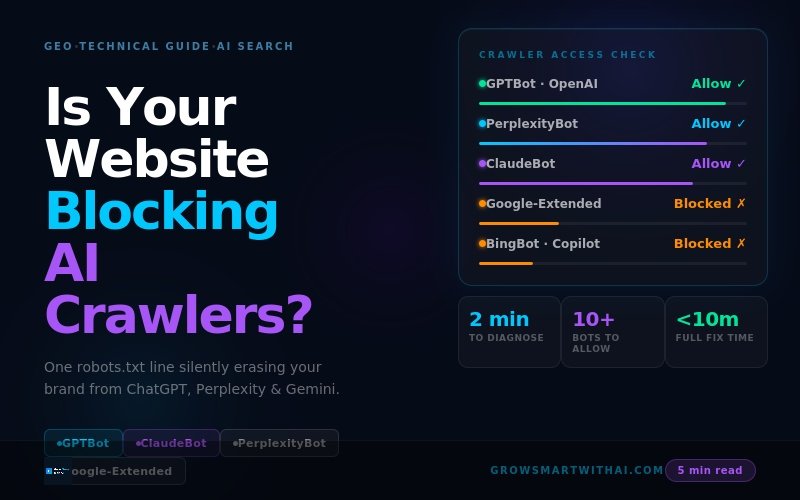
A global lock such as User-agent: * followed by Disallow: /, or a per-bot block like User-agent: GPTBot + Disallow: /. Either pattern tells ChatGPT-class crawlers they may not fetch your public pages.
Explicit User-agent stanzas for major AI bots with Allow: / (optionally scoped) so crawlers see a clear green light. Combine with sensible WordPress hygiene such as blocking /wp-admin/ for indexing.
Major AI crawlers to allow (2026)
Most teams recognise GPTBot and stop there. Perplexity, Claude, Gemini and Copilot each bring their own user-agents — ship allowances for all of them if you care about multi-assistant GEO.
| Crawler | Platform | Why it matters |
|---|---|---|
GPTBot | OpenAI / ChatGPT | Primary fetcher for ChatGPT browsing experiences. |
OAI-SearchBot | OpenAI Search | Powers ChatGPT web search surfaces. |
PerplexityBot | Perplexity | Real-time retrieval for Perplexity answers. |
ClaudeBot | Anthropic | Claude training + browsing footprint. |
Google-Extended | Google Gemini | Google’s Gemini / AI Overviews-oriented crawler. |
Googlebot | Google Search | Feeds organic results and AI Overviews context. |
BingBot | Microsoft Bing / Copilot | Bing index — critical for ChatGPT browsing + Copilot. |
YouBot | You.com | Emerging AI search contender. |
cohere-ai | Cohere | Enterprise AI retrieval stacks. |
Step 2 — AI-friendly robots.txt template
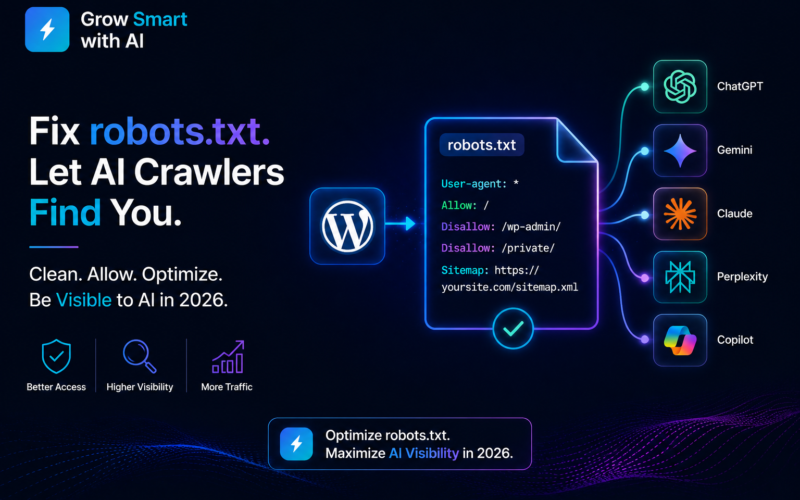
Copy the block below, replace the sitemap URL, then paste it into Rank Math, Yoast or your static file on the server. It keeps WordPress admin paths protected while explicitly allowing the AI crawlers above.
# =============================================
# GROW SMART WITH AI — robots.txt template
# Updated May 2026 — AI crawler friendly
# =============================================

# Standard crawlers — allow public site
User-agent: *
Allow: /
Disallow: /wp-admin/
Disallow: /wp-includes/
Disallow: /wp-login.php

# ChatGPT — OpenAI crawlers
User-agent: GPTBot
Allow: /

User-agent: OAI-SearchBot
Allow: /

# Perplexity
User-agent: PerplexityBot
Allow: /

# Claude — Anthropic
User-agent: ClaudeBot
Allow: /

# Google AI crawlers
User-agent: Google-Extended
Allow: /

User-agent: Googlebot
Allow: /

# Microsoft — Copilot and Bing
User-agent: BingBot
Allow: /

User-agent: msnbot
Allow: /

# Emerging AI platforms
User-agent: YouBot
Allow: /

User-agent: cohere-ai
Allow: /

# Sitemap — replace with your actual sitemap URL
Sitemap: https://yourdomain.com/sitemap_index.xml
Step 3 — publish it inside WordPress
Method A — Rank Math or Yoast (fastest)
- Rank Math → General Settings → edit virtual
robots.txt. - Yoast SEO → Tools → File editor →
robots.txt. - Replace existing directives wholesale, paste the template, save.
- Reload
/robots.txtin a private window to confirm.
Method B — FTP / hosting file manager (absolute control)
- Open your web root (
public_html,www, etc.). - Edit existing
robots.txtor create a UTF-8 plain-text file with that exact name. - Upload, purge caches, verify in the browser.
LiteSpeed, WP Rocket and edge caches occasionally memoise robots.txt. Flush every layer immediately after publishing so crawlers see the new policy, not yesterday’s lockout.
Step 4 — verify allowances in Search Console & Bing
- Google Search Console: Settings → robots.txt Tester → fetch
/→ switch user agent toGPTBot→ ensure the result reads Allowed for URLs you want indexed. - Bing Webmaster Tools: Configuration → robots.txt tester → repeat with
BingBot— should be allowed across key templates. - Human double-check: Re-open
/robots.txton production, confirm each AI stanza listsAllow: /and that there is no accidentalUser-agent: *+Disallow: /.
What to expect after you un-block crawlers
- 0–24h: Crawlers revisit; GPTBot and BingBot typically show the fastest crawl lift.
- 1–7d: ChatGPT browsing index refreshes; if llms.txt + schema already exist, entity confidence compounds.
- 1–4w: Perplexity, Gemini and Copilot catch up as their indices merge the new crawl signals.
- Ongoing: Pair this with IndexNow so fresh posts hit Bing (and downstream ChatGPT browsing) within hours instead of crawl queues alone.
Important: opening robots.txt removes the “do not enter” sign — it does not replace GEO. You still need llms.txt, schema, Wikidata hygiene, Bing Webmaster verification and AEO-ready content for consistent citations.
Mistakes teams make when editing robots.txt
- Blocking individual AI bots out of spite — it creates fragmented training signals for the same brand.
- Deleting WordPress admin disallow rules — keep admin and includes out of search.
- Using pre-2024 generator tools that omit modern AI user-agents.
- Confusing
robots.txtwithllms.txt— access control versus curated briefing. - Forgetting cache purge — crawlers keep reading stale disallow directives.
After robots.txt — priority GEO checklist
- llms.txt: Plain-language briefing for assistants — full implementation guide.
- Bing Webmaster Tools: Highest leverage Bing/Copilot step — walkthrough.
- Schema: Organisation, FAQPage and Article JSON-LD across templates.
- IndexNow: Instant Bing ping on publish.
- Wikidata: Verified entity graph for Gemini-class reasoning.
Book a free AI crawler audit →
We review robots.txt, llms.txt, schema, Bing WMT and Wikidata in one live session — you leave with a punch-list, not jargon.
About the author
Vijay Kumar Mishra is Co-Founder & CTO of Grow Smart with AI — India’s GEO and AEO consultancy. Full-stack WordPress architect with 10+ years across enterprise programmes (LTIMindTree, Penguin Random House India, Reliance Worldwide). Microsoft Azure AZ-900 and Generative AI certified; building GEO Score Dashboard for systematic AI visibility diagnostics.
Grow Smart with AI · hello@growsmartwithai.com · Updated May 2026
How do I know if my website blocks AI crawlers?
Fetch https://yourdomain.com/robots.txt and search for Disallow rules. If User-agent: * Disallow: / appears—or GPTBot / PerplexityBot etc. paired with Disallow: /—assistants must skip your site.
Does fixing robots.txt guarantee ChatGPT citations?
No. It only removes the crawl ban. Citations still require entity signals—schema, llms.txt, Bing indexing, authoritative mentions—but nothing downstream works if robots.txt forbids fetching.
Where do I edit robots.txt in WordPress?
Use Rank Math’s robots.txt editor, Yoast’s file tool, or upload a plain-text robots.txt at the site root via FTP. Always verify the public URL after saving and clear edge caches.
What is the difference between robots.txt and llms.txt?
robots.txt governs whether crawlers may access URLs. llms.txt is optional guidance that explains who you are and which pages matter. You need crawl access first; llms.txt sharpens interpretation once inside.
Which AI user-agents must Indian brands allow in 2026?
At minimum: GPTBot, OAI-SearchBot, PerplexityBot, ClaudeBot, Google-Extended, Googlebot, BingBot (and msnbot for legacy Microsoft fetches). Add YouBot or cohere-ai if those ecosystems matter to you.
Why is BingBot important for ChatGPT?
ChatGPT browsing and Copilot lean on Bing’s index. If Bingbot is disallowed or never sees your site, downstream AI answers lack fresh evidence about your brand.
Further reading: Bing Webmaster Tools, Schema.org documentation, and Google structured data intro.
Practical note on website blocking AI crawlers: Indian brands should document entities, publish corroborating pages, and measure LLM citations monthly.
Teams implementing website blocking AI crawlers often combine schema markup, Bing Webmaster Tools, and AEO-formatted FAQs for faster AI visibility.
When you prioritise website blocking AI crawlers, focus on clear definitions, expert authorship, and outbound references that models can verify.
Practical note on website blocking AI crawlers: Indian brands should document entities, publish corroborating pages, and measure LLM citations monthly.
Teams implementing website blocking AI crawlers often combine schema markup, Bing Webmaster Tools, and AEO-formatted FAQs for faster AI visibility.
When you prioritise website blocking AI crawlers, focus on clear definitions, expert authorship, and outbound references that models can verify.
Practical note on website blocking AI crawlers: Indian brands should document entities, publish corroborating pages, and measure LLM citations monthly.