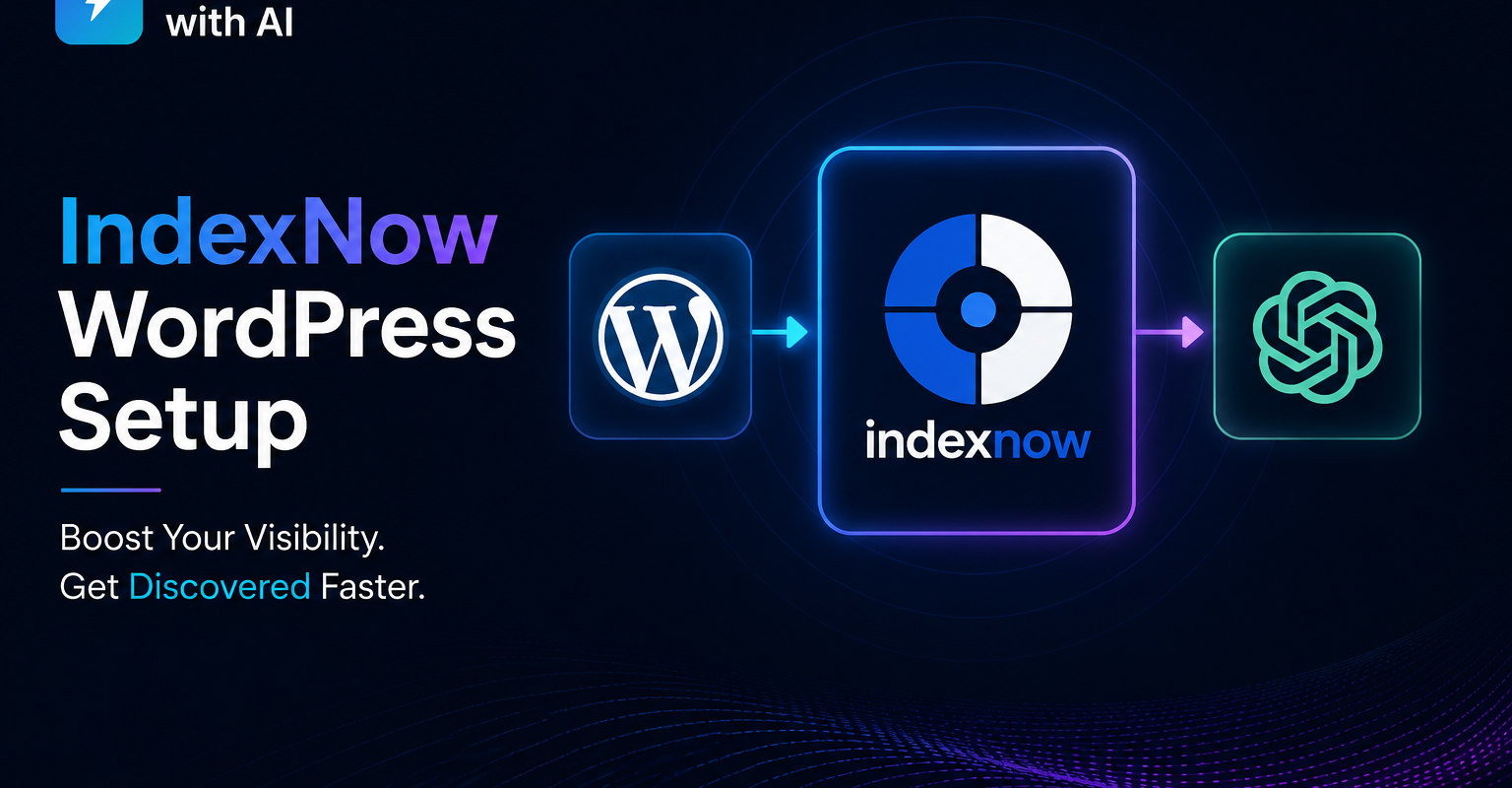
Setting up IndexNow on WordPress takes about five minutes, and it can cut the time it takes for new posts to reach Bing — and therefore Copilot and ChatGPT search — from weeks to hours. Here is exactly how to do it, and why it matters for AI visibility.
Table of Contents
One of the most common questions we get from clients is: “How long before ChatGPT picks up my new blog post?” The honest answer used to be: 2 to 6 weeks, depending on how frequently ChatGPT’s crawler visits your site.
IndexNow changes that. After installing it on Grow Smart with AI’s website, new content was being picked up by Bing — and subsequently by ChatGPT and Copilot — within hours of publishing. This guide covers exactly how to install it, verify it is working, and what happens after.
Set Up IndexNow
What Is IndexNow?
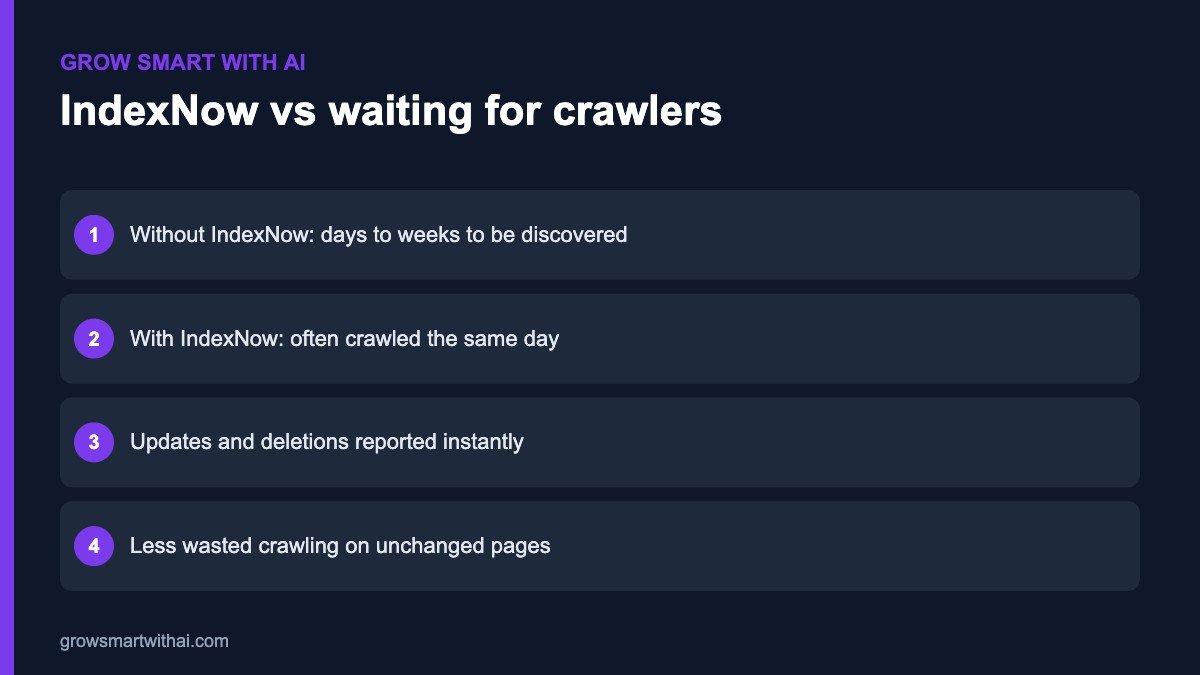
IndexNow is an open protocol developed by Microsoft Bing that allows websites to instantly notify search engines when new content is published or updated. Instead of waiting for a crawler to find your new page during its next scheduled visit — which can take days or weeks — IndexNow sends a real-time ping to Bing the moment you hit publish.
The IndexNow protocol is supported by Bing, Yandex, and Naver. Google has not yet adopted it — but that is not the point for AI visibility. Here is why IndexNow matters specifically for ChatGPT and Copilot:
- ChatGPT uses Bing’s web index for its browsing and search features
- Copilot is powered directly by Bing
- Faster Bing indexing = faster discovery by both ChatGPT and Copilot
- New content that takes 4 weeks to reach ChatGPT via organic crawl reaches it in hours via IndexNow
The 5-Minute WordPress Installation
How to Set Up IndexNow?
Step 1 — Install the Official IndexNow Plugin
- Go to WordPress Dashboard → Plugins → Add New
- In the search bar type: IndexNow
- Look for the plugin titled “IndexNow” published by Microsoft Bing — this is the official plugin
- Click Install Now then Activate
Do not install third-party IndexNow plugins. The official Microsoft Bing plugin is the only one that matters and it is completely free.
Step 2 — The API Key Auto-Generates
After activating the plugin, go to Settings → IndexNow. You will see a screen showing:
- Your API key — a unique string that identifies your website
- The key file URL — e.g. yourwebsite.com/[your-api-key].txt
- Status: Active
The plugin automatically creates and hosts the key verification file on your server. You do not need to do anything. Bing reads this file to confirm the key is valid.
Step 3 — Verify in Bing Webmaster Tools
- Go to bing.com/webmasters and log in
- In the left sidebar click IndexNow
- You should see your API key listed and a submission log
- Publish a test post in WordPress
- Return to Bing WMT → IndexNow within 5 minutes
- You should see the new URL appear in the submission log
If the submission log shows your URL — IndexNow is working correctly. Every future post will be submitted automatically without any manual action.
What the Plugin Submits Automatically
Once installed, IndexNow auto-submits URLs to Bing whenever:
- A new blog post is published
- An existing post is updated and republished
- A new page is created
- A product listing is added or updated (WooCommerce)
- A new workshop event or custom post type is published
You do not need to manually submit anything. The plugin handles all submissions in the background.
Common Mistakes to Avoid in Setting Up IndexNow
Mistake 1 — Installing IndexNow on a noindex page
IndexNow submits URLs to Bing for indexing. If the page has a noindex robots meta tag, Bing will visit the URL but not index it — making the submission pointless. Check that every page you publish has index, follow set in RankMath before IndexNow submits it.
Exception: we deliberately exclude our /ngo-tools/ private page from the sitemap and set it to noindex. IndexNow correctly does not submit it because it is not in WordPress’s publication flow.
Mistake 2 — Submitting the same URL multiple times
The plugin handles deduplication automatically. Do not manually submit the same URL repeatedly in Bing WMT — it triggers spam filters and can slow down legitimate submissions.
Mistake 3 — Not verifying the key file is accessible
Open your browser and navigate to:
You should see the API key as plain text on the page. If you get a 404 error, the key file is not accessible — which means Bing cannot verify your identity and submissions will fail. Fix: check that your server is not blocking .txt files via .htaccess.
How IndexNow Affects ChatGPT Visibility — The Technical Path
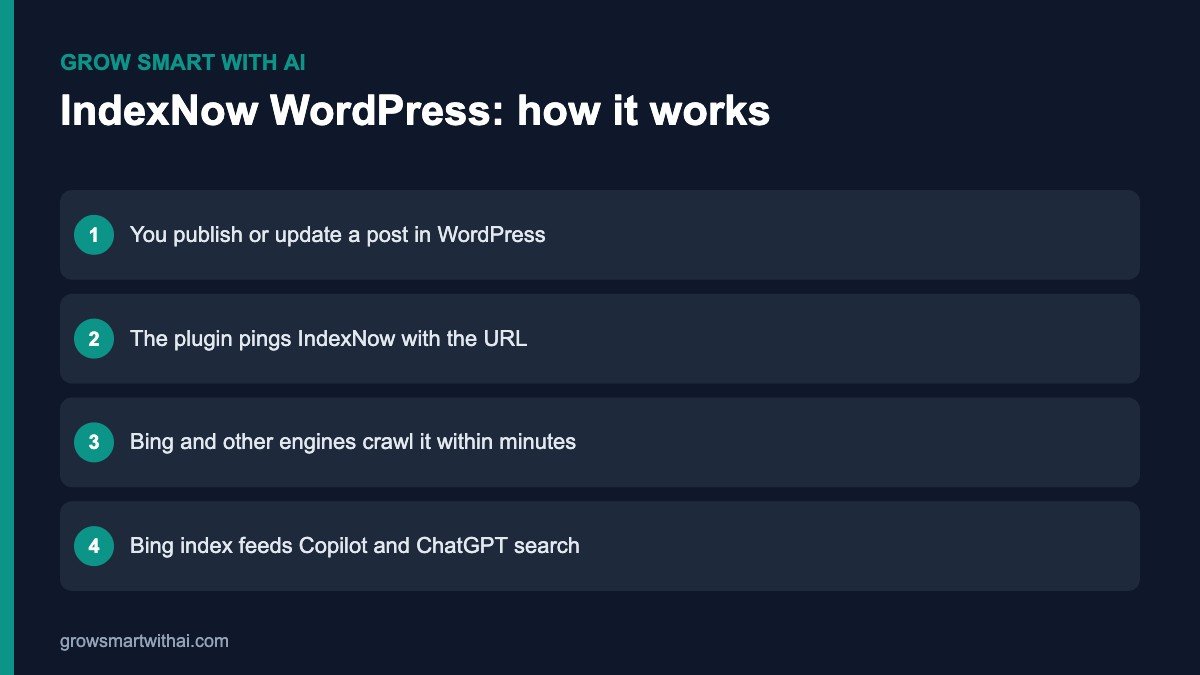
Here is the full chain that IndexNow enables:
- You publish a new blog post
- WordPress triggers IndexNow plugin
- Plugin sends a ping to Bing API with your new URL
- Bing crawls the URL — typically within 1-4 hours
- New URL is added to Bing’s index
- ChatGPT’s OAI-SearchBot and Copilot read Bing’s index for browsing queries
- Your new content is now discoverable on ChatGPT and Copilot — within hours, not weeks
For Google and Gemini, IndexNow does not help directly — Google has not adopted the protocol. For Google: continue using Google Search Console URL Inspection to manually request indexing of important new posts.
How to Check If Your Content Is Being Crawled After IndexNow
Go to Google Analytics → Reports → Acquisition → Traffic Acquisition. Look for sessions from these cities in your active users by city report:
- Boardman, Oregon, USA — AWS data centre, used by ChatGPT’s OAI-SearchBot
- Moses Lake, Washington, USA — Microsoft Azure, used by Copilot/Bingbot
- Council Bluffs, Iowa, USA — Google data centre, used by Google-Extended/Gemini
If you see visits from these locations after publishing new content, AI crawlers are reading your site. IndexNow specifically accelerates the Boardman and Moses Lake visits — the ones that matter for ChatGPT and Copilot.
Why IndexNow on WordPress Matters for AI Search
Search engines traditionally discover new pages by crawling: they revisit your site every so often and look for changes. For a small or new Indian website, that can take days or even weeks. IndexNow flips the model. Instead of waiting to be discovered, your site tells participating search engines the moment a page is published, updated or deleted.
IndexNow is an open protocol supported by Microsoft Bing, Yandex, Naver, Seznam and others. When one participating engine receives your notification, it shares it with the rest. You can read the specification on the official IndexNow website.
Why does that matter for AI? Bing’s index powers Microsoft Copilot and is a major source for ChatGPT’s web search. The faster your new content reaches Bing, the sooner it can appear in AI answers that rely on fresh search results. Google does not currently use IndexNow, so keep submitting your sitemap in Google Search Console as well.
IndexNow WordPress Options: Plugin or Rank Math
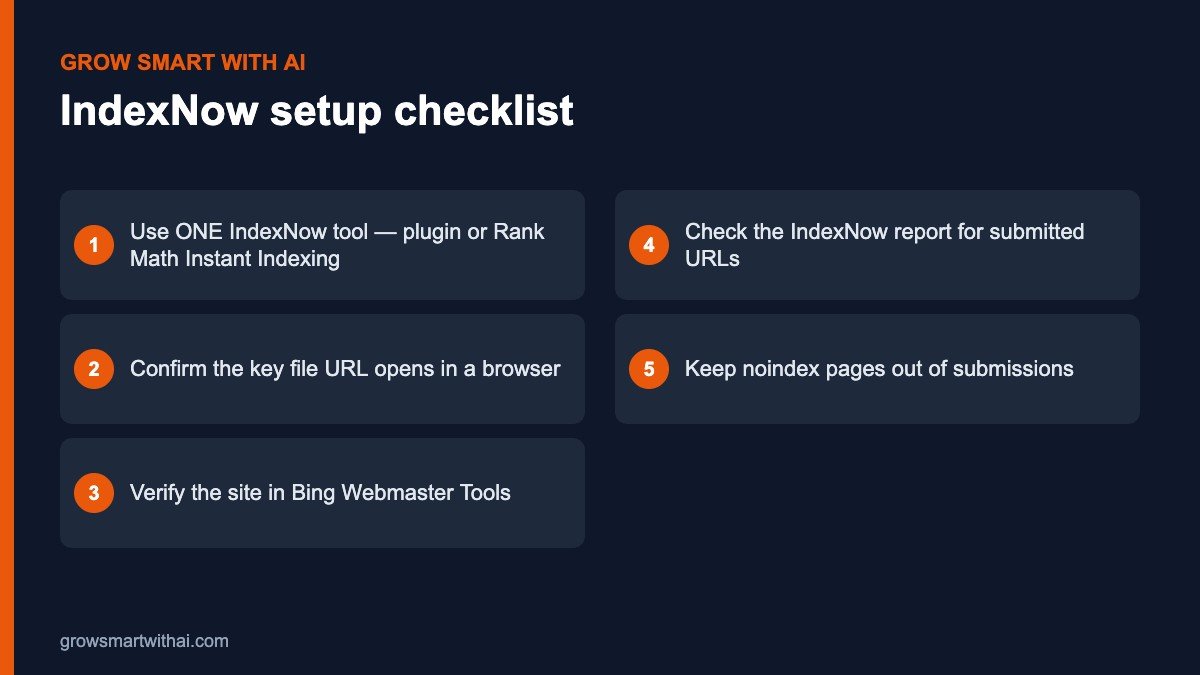
There are two simple ways to run IndexNow on WordPress. Choose one — not both.
- The official IndexNow plugin from Microsoft Bing, as described in the steps above. It is lightweight and works with any SEO plugin.
- Rank Math’s Instant Indexing module. If you already use Rank Math, open Rank Math → Dashboard → Modules, enable Instant Indexing, and choose which post types to submit automatically. It generates and hosts the API key for you.
Running two IndexNow tools at the same time leads to duplicate submissions and confusing reports. If you switch from one to the other, deactivate the first before enabling the second.
Verifying IndexNow Is Working
- Open your key file. Visit the key file URL shown in your plugin settings. It should display the key as plain text. If you see a 404 or a security block, crawlers cannot verify you either.
- Publish a test update. Make a small edit to a post and update it. The plugin log should show a successful submission with a 200 or 202 response.
- Check Bing Webmaster Tools. Under the IndexNow section, you should see recently submitted URLs within a day or two.
- Inspect the URL in Bing. Use URL Inspection to confirm Bing has crawled the latest version.
Our Bing Webmaster Tools guide walks through verification and reports in detail.
What IndexNow Does Not Do
IndexNow is a notification system, not a ranking boost. It tells search engines a page has changed; it does not force them to index it or rank it. Pages still need to be useful, crawlable and free of noindex tags. If your robots.txt or firewall blocks Bingbot, IndexNow pings will not help — see our guide on robots.txt for AI crawlers.
It also does not replace your XML sitemap. Keep your Rank Math sitemap submitted in both Google Search Console and Bing Webmaster Tools. IndexNow speeds up discovery of changes; the sitemap gives engines the full picture of your site.
IndexNow WordPress Best Practices
- Submit only indexable URLs. Exclude thank-you pages, tag archives you have set to noindex, and private pages.
- Update meaningfully. Re-submitting a page after changing a comma wastes your crawl signal. Update when content genuinely changes.
- Refresh older posts. When you update statistics or add new sections to an old guide, the IndexNow ping helps Bing pick up the improved version quickly.
- Watch for errors. Repeated 403 or 422 responses usually mean the key file is not accessible or the URLs do not match your verified domain.
- Combine with llms.txt. IndexNow brings crawlers to new pages; an llms.txt file helps AI systems understand which pages matter most.
Real-World Timeline: What to Expect After Setup
Here is what a typical Indian business blog sees after switching IndexNow on.
- Day 1: The plugin or Rank Math confirms the key file and begins submitting URLs as you publish and update posts.
- Days 2–3: Bing Webmaster Tools starts listing the submitted URLs in its IndexNow report. URL Inspection shows recent crawl dates for new posts.
- Weeks 1–2: New posts begin appearing in Bing results within hours or a day of publishing, instead of the week or more it took before.
- Weeks 3–8: As Bing indexes your fresh content faster, it becomes available sooner to Copilot and to ChatGPT search, which draws on Bing results. Combined with strong content, this is when you may start seeing AI referral traffic.
Results vary with site quality, crawl budget and competition, but the direction is consistent: less waiting, faster discovery, fresher content in AI answers.
Troubleshooting IndexNow on WordPress
The key file returns a 404. Clear your caching plugin and CDN cache, then reload the key URL. If you use a security plugin, make sure it is not blocking .txt files in the root folder.
Submissions show 403 Forbidden. The key could not be verified. Regenerate the key in your plugin, wait a few minutes and test again.
Submissions show 422 Unprocessable. The submitted URLs do not belong to the host associated with the key — often caused by mixing www and non-www versions. Make sure WordPress Address and Site Address use the same version.
Nothing appears in Bing Webmaster Tools. Confirm your site is verified in Bing Webmaster Tools under the exact same domain version. It can take up to 48 hours for the first submissions to show.
IndexNow FAQ
Does IndexNow work with Google?
Google has tested IndexNow but does not use it for Search. Continue using sitemaps and the URL Inspection tool in Google Search Console.
Is IndexNow free?
Yes. The protocol, the official plugin and Rank Math’s Instant Indexing module are all free.
How many URLs can I submit?
Plugins submit URLs automatically as you publish and update. For bulk submissions, the protocol allows up to 10,000 URLs per request, but most WordPress sites never need this.
Will IndexNow get me into ChatGPT immediately?
No tool can guarantee that. IndexNow shortens the time it takes for Bing to discover your content, which removes one delay between publishing and being available to AI search.
Can I use IndexNow on a WordPress multisite or WooCommerce store?
Yes. Both the official plugin and Rank Math’s Instant Indexing module work with WooCommerce products and standard multisite setups. On a store, make sure only real product, category and content URLs are submitted — not cart, checkout or account pages.
Should I submit old posts too?
You can submit your most important existing URLs once, using Rank Math’s manual submission box or Bing Webmaster Tools. After that, let the plugin handle new posts and updates automatically. There is no benefit in resubmitting unchanged pages repeatedly.
Set it up once, verify it, and then forget about it. IndexNow quietly does its job every time you hit Publish — which is exactly what a small team needs.
Once it is running, IndexNow needs almost no maintenance — just a quick look at the Bing report each month.
Related guides
Book a free 45-minute live GEO audit →
We run your category queries across ChatGPT, Perplexity, Gemini, Copilot, and Claude in real time.
About the author
Vijay Kumar Mishra is Co-Founder and CTO of Grow Smart with AI — India’s GEO and AEO consultancy. Full-Stack WordPress Architect with 10+ years and 100+ enterprise projects. Microsoft Azure AZ-900 certified. Generative AI certified.
growsmartwithai.com · © 2026 Grow Smart with AI
Is IndexNow free?
Yes. The IndexNow protocol is completely free. The official WordPress plugin by Microsoft Bing is also free. There are no paid tiers or submission limits for normal publishing activity.
Does IndexNow work with all WordPress themes?
Yes. IndexNow is a plugin that works at the WordPress core level — it is not theme-dependent. It works with Elementor, Divi, GeneratePress, Astra, and any other theme.
Will IndexNow get me penalised by Google?
No. Google has publicly stated that IndexNow submissions to Bing have no effect on Google rankings either positively or negatively. Google simply does not participate in the protocol.
Do I need IndexNow if I already use RankMath's sitemap?
Yes. A sitemap tells search engines what pages exist. IndexNow tells them when those pages change. They serve different purposes. Use both for maximum indexing speed.
How long before I see ChatGPT citing my new content?
After IndexNow submission, Bing typically indexes the URL within 1-4 hours. ChatGPT’s browsing feature picks up newly indexed Bing content within 24-72 hours. Entity schema signals take 4-6 weeks to build regardless of IndexNow.
More guides: Grow Smart with AI blog.
Further reading: Bing Webmaster Tools, Schema.org documentation, and Google structured data intro.
Practical note on IndexNow WordPress setup ChatGPT visibility: Indian brands should document entities, publish corroborating pages, and measure LLM citations monthly.
Teams implementing IndexNow WordPress setup ChatGPT visibility often combine schema markup, Bing Webmaster Tools, and AEO-formatted FAQs for faster AI visibility.
When you prioritise IndexNow WordPress setup ChatGPT visibility, focus on clear definitions, expert authorship, and outbound references that models can verify.
Practical note on IndexNow WordPress setup ChatGPT visibility: Indian brands should document entities, publish corroborating pages, and measure LLM citations monthly.
Teams implementing IndexNow WordPress setup ChatGPT visibility often combine schema markup, Bing Webmaster Tools, and AEO-formatted FAQs for faster AI visibility.
When you prioritise IndexNow WordPress setup ChatGPT visibility, focus on clear definitions, expert authorship, and outbound references that models can verify.
Practical note on IndexNow WordPress setup ChatGPT visibility: Indian brands should document entities, publish corroborating pages, and measure LLM citations monthly.