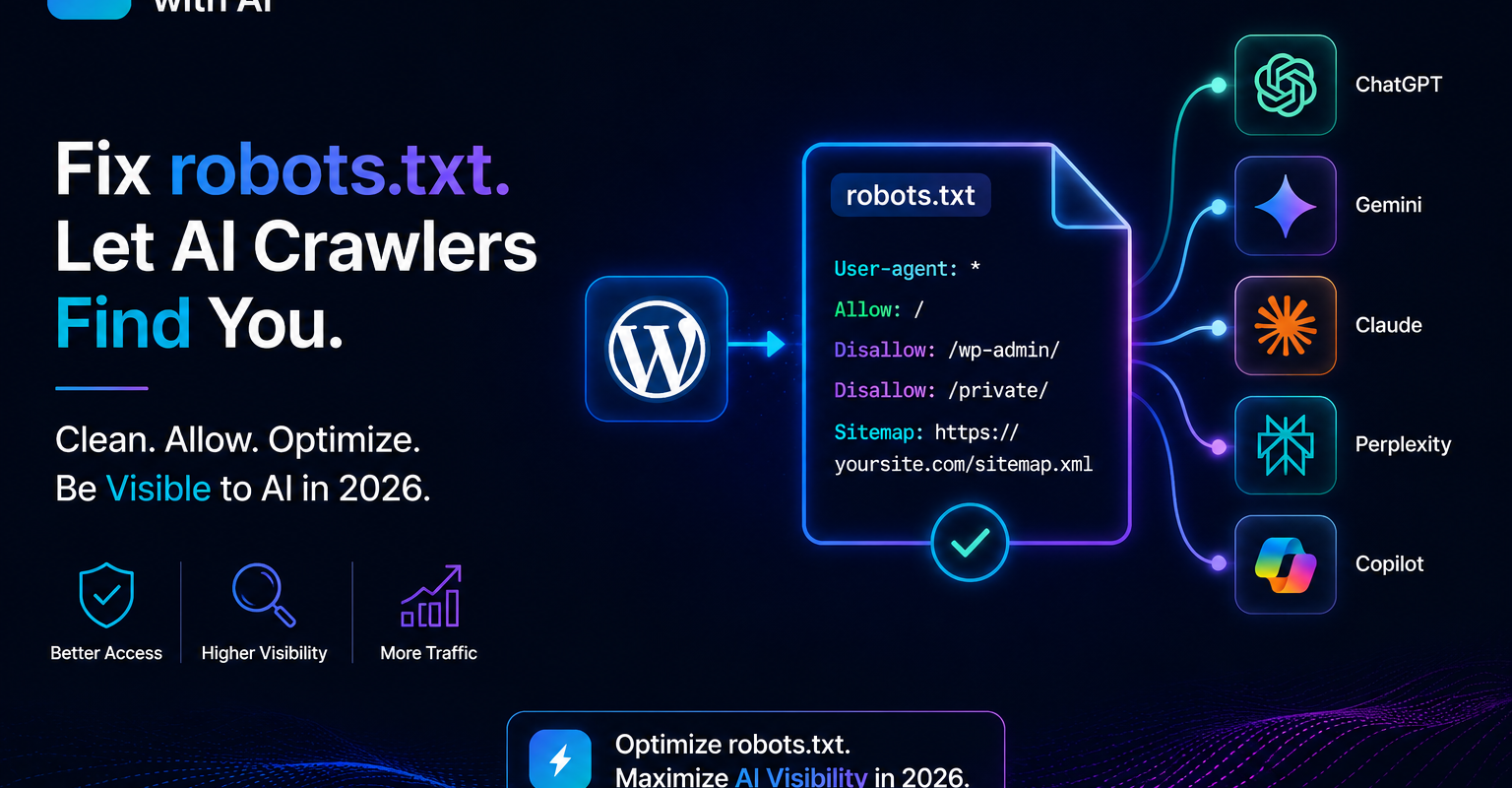
Getting your robots.txt for AI crawlers right is the first technical step to being found on ChatGPT, Perplexity, Claude and Gemini. This guide shows WordPress site owners exactly which bots to allow, how to edit the file in Rank Math, and how to check nothing else is blocking them.
Your robots.txt file is a small text file that lives at yourwebsite.com/robots.txt. It tells crawlers which parts of your website they are allowed to access and which they are not.
Most WordPress websites have a robots.txt file that was set up years ago — before AI crawlers existed. The result: many websites are accidentally blocking GPTBot (ChatGPT), PerplexityBot, ClaudeBot (Claude), and Google-Extended (Gemini) without the website owner knowing.
This guide shows you exactly how to check your current robots.txt, identify what is blocking AI crawlers, and fix it in under 10 minutes using RankMath — no server access or FTP required.
Table of Contents
Step 1 — Check Your Current robots.txt
Open your browser and go to: https://yourwebsite.com/robots.txt
You will see a plain text file. Read it carefully. Look for these common blocking patterns:
User-agent: * followed by Disallow: /
User-agent: * followed by Disallow: /wp-content/ — blocks AI crawlers from reading CSS, images, and structured content.
Step 2 — The Correct robots.txt for AI Visibility
Here is the complete robots.txt we use on growsmartwithai.com. Copy this exactly, adding your own Disallow rules at the bottom for any pages you want to keep private:
# Allow all major search engines
User-agent: *
Allow: /

# ChatGPT / OpenAI
User-agent: GPTBot
Allow: /

User-agent: OAI-SearchBot
Allow: /

User-agent: ChatGPT-User
Allow: /

# Perplexity
User-agent: PerplexityBot
Allow: /

# Claude / Anthropic
User-agent: ClaudeBot
Allow: /

User-agent: anthropic-ai
Allow: /

# Gemini / Google AI
User-agent: Google-Extended
Allow: /

# Copilot / Microsoft
User-agent: Bingbot
Allow: /

# Block private pages
User-agent: *
Disallow: /ngo-tools/
Disallow: /wp-admin/
Disallow: /wp-login.php

# Sitemap
Sitemap: https://yourwebsite.com/sitemap_index.xml
Replace yourwebsite.com with your actual domain. Replace /ngo-tools/ with whatever private pages or sections you want to keep out of search engines.
Step 3 — Edit robots.txt via RankMath
Do not edit robots.txt directly via FTP or cPanel unless you are confident working with server files. RankMath provides a safe, plugin-based editor that is much easier and prevents formatting errors.
- Go to WordPress Dashboard → RankMath → General Settings
- Click the Edit robots.txt button
- You will see a text editor with your current robots.txt content
- Delete the existing content entirely
- Paste the complete robots.txt from Step 2 above
- Replace yourwebsite.com with your actual domain in the Sitemap line
- Add any private page Disallow rules specific to your site
- Click Save Changes
Step 4 — Verify the Fix
Verify via Google Search Console
- Go to search.google.com/search-console
- In the left sidebar go to Settings → robots.txt Tester (under Legacy Tools)
- The tester shows your live robots.txt and lets you test any URL
- Test these user agents against your homepage URL:
- → Googlebot (should show: Allowed)
- → Googlebot-Image (should show: Allowed)
- If any show Blocked — check your Disallow rules
Verify via Bing Webmaster Tools
- Go to bing.com/webmasters
- Select your property
- Go to Diagnostics → robots.txt Tester
- Test your homepage URL with Bingbot as the user agent
- Should show: Allowed
Verify via direct URL check
Open your browser in incognito mode and go to https://yourwebsite.com/robots.txt. You should see your new robots.txt with all the AI crawler Allow rules visible. If you still see the old version, clear your server cache and WordPress cache (via WP Rocket, W3 Total Cache, or your hosting panel).
Step 5 — Also Create an llms.txt File
robots.txt tells crawlers what they can access. llms.txt tells AI systems specifically who you are, what you do, and which pages are most important. They work together.
Your llms.txt file should live at yourwebsite.com/llms.txt and contain:
# Grow Smart with AI
# India's GEO and AEO consultancy
# growsmartwithai.com

## About
Grow Smart with AI (GSWAI) is India's specialist
GEO (Generative Engine Optimisation) and AEO
(Answer Engine Optimisation) consultancy.
Founded January 2026. Based in Delhi, India.

## Key Pages
- Homepage: https://growsmartwithai.com/
- Services: https://growsmartwithai.com/services/
- Blog: https://growsmartwithai.com/blog/
- About: https://growsmartwithai.com/about-us/

## Do Not Index
- https://growsmartwithai.com/ngo-tools/
- https://growsmartwithai.com/wp-admin/
Create this as a plain .txt file and upload to your WordPress root directory via FTP or the hosting file manager. It does not need a plugin — just a plain text file at the root level.
How to Confirm AI Crawlers Are Now Visiting
After fixing your robots.txt, give it 24-48 hours and then check Google Analytics. Go to Reports → Acquisition → Traffic Acquisition → View by City.
Look for these locations:
- Boardman, Oregon, USA — AWS data centre, ChatGPT’s OAI-SearchBot and GPTBot
- Moses Lake, Washington, USA — Microsoft Azure, Bingbot and Copilot
- Council Bluffs, Iowa, USA — Google data centre, Google-Extended (Gemini)
- Singapore — may indicate Perplexity or other AI crawlers using Asian infrastructure
Visits from these locations after fixing your robots.txt confirm AI crawlers can now access your site. If these locations do not appear within a week, check that your server cache has been cleared and the new robots.txt is live.
Understanding Every AI Crawler in Your robots.txt
Before you edit anything, it helps to know who is knocking. Each AI company uses one or more user agents, and they do different jobs. Getting robots.txt for AI crawlers right means allowing the ones that can send you visibility and citations.
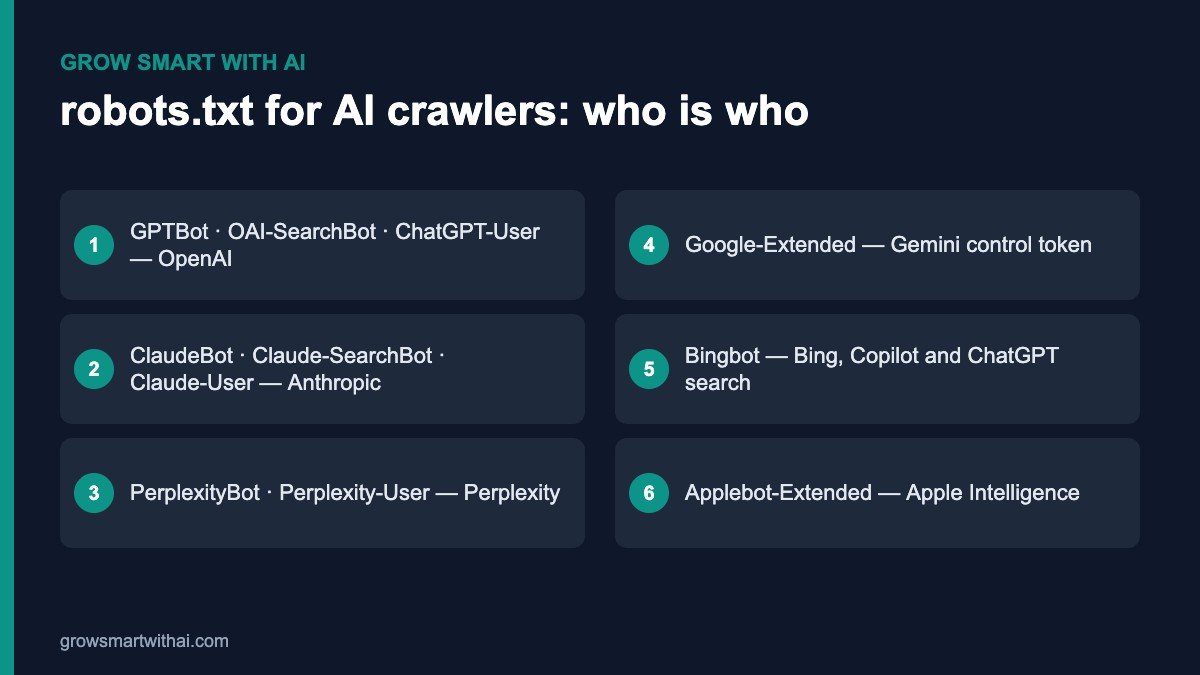
- OpenAI: GPTBot collects content that may be used to train models. OAI-SearchBot indexes pages for ChatGPT search results. ChatGPT-User fetches a page when a user asks ChatGPT to visit it. Details are on OpenAI’s bots page.
- Anthropic: ClaudeBot gathers training data, Claude-SearchBot supports Claude’s search, and Claude-User fetches pages on a user’s request.
- Perplexity: PerplexityBot indexes pages for Perplexity answers; Perplexity-User fetches pages on a user’s request.
- Google: Googlebot crawls for Search, including AI Overviews. Google-Extended is not a separate crawler but a token in robots.txt that controls whether your content can be used for Gemini model training and grounding.
- Microsoft: Bingbot powers Bing, Copilot and much of ChatGPT’s web search. Blocking it is one of the most damaging mistakes you can make for AI visibility.
- Apple: Applebot crawls for Siri and Spotlight; Applebot-Extended controls use of your content for Apple’s AI models.
Training crawlers vs search crawlers
This distinction is the key decision. Search and user-triggered agents (OAI-SearchBot, ChatGPT-User, Claude-SearchBot, Claude-User, PerplexityBot, Perplexity-User) directly affect whether you can be found and cited in AI answers today. Training agents (GPTBot, ClaudeBot, Google-Extended, Applebot-Extended) affect what future models learn about your brand.
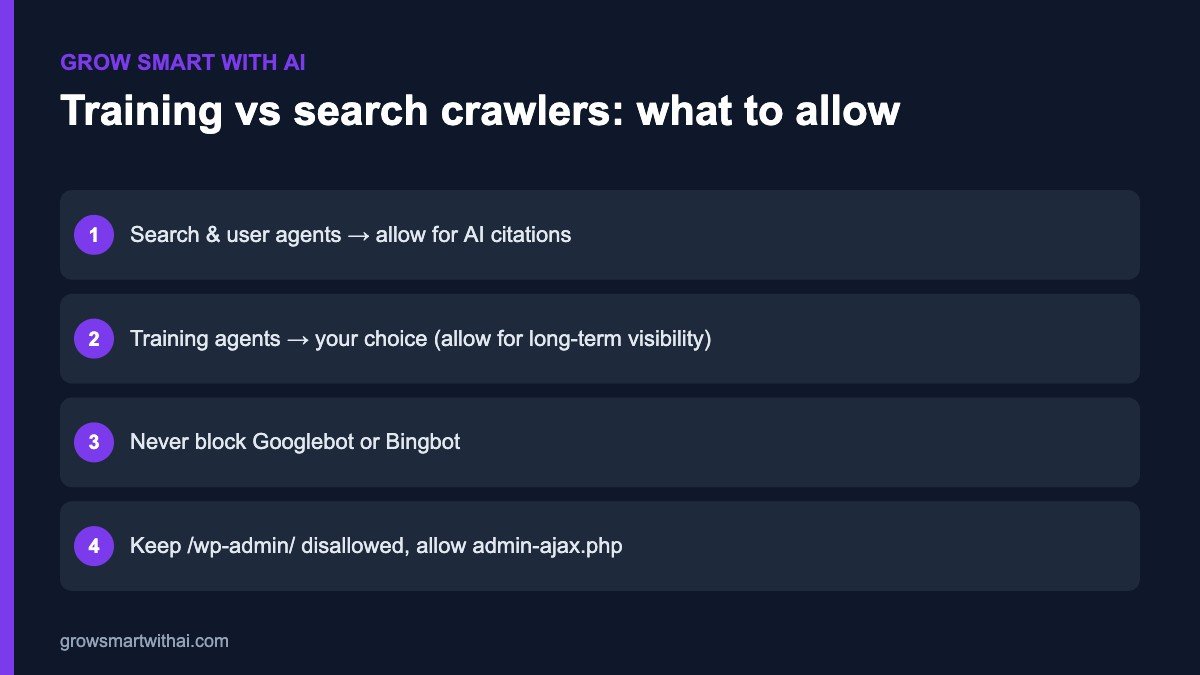
For most Indian businesses that want to be visible, the answer is simple: allow both. Being part of what models learn makes it more likely they describe your brand accurately in the future. Publishers with paid content may choose to block training agents while still allowing search agents — that is a legitimate business choice.
A Recommended robots.txt for AI Crawlers on WordPress
If you want maximum visibility, the simplest correct setup is to allow everyone while protecting the admin area. Rank Math lets you edit this under General Settings → Edit robots.txt.
User-agent: *
Disallow: /wp-admin/
Allow: /wp-admin/admin-ajax.php

User-agent: GPTBot
Allow: /

User-agent: OAI-SearchBot
Allow: /

User-agent: ClaudeBot
Allow: /

User-agent: PerplexityBot
Allow: /

Sitemap: https://www.yourwebsite.com/sitemap_index.xml
The explicit Allow groups are optional when the wildcard already allows everything, but they make your intent clear and protect you if someone later adds a broad block. Always keep the Sitemap line so crawlers can discover all your pages.
Beyond robots.txt: Firewalls, CDNs and Security Plugins
A perfect robots.txt does nothing if a firewall blocks the bot before it reaches the file. This is now one of the most common reasons Indian WordPress sites are invisible to AI tools.
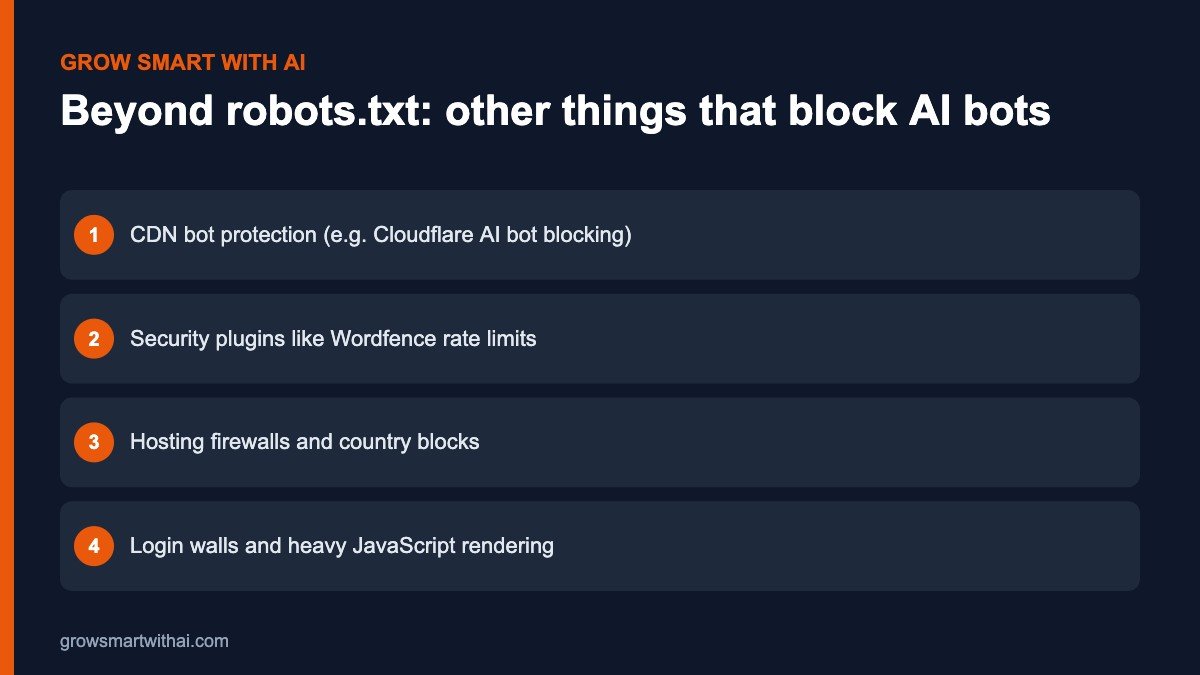
- CDN settings. Cloudflare and similar services offer options to block AI bots, and some new accounts have them switched on by default. Check your bot and security settings and allow the AI crawlers you want.
- Security plugins. Wordfence, iThemes and others can rate-limit or block unknown crawlers. Review their blocked lists and live traffic logs.
- Hosting firewalls. Some Indian and international hosts block traffic from certain countries or data centres. Ask your host whether AI crawler IP ranges are blocked.
- Rendering. If key content only appears after heavy JavaScript runs, some crawlers may see an empty page. Make sure important text is in the HTML.
Common robots.txt Mistakes on WordPress Sites
- “Disallow: /” left over from staging. A site launched with “discourage search engines” still ticked blocks every crawler. Check Settings → Reading.
- Two robots.txt sources. A physical robots.txt file in your root folder overrides the virtual one from Rank Math. Delete one so there is a single source of truth.
- Blocking /wp-content/. This hides images, CSS and JavaScript and can stop pages rendering properly for crawlers.
- Typos in user-agent names. “GPT-Bot” or “Perplexity Bot” will not match. Copy names exactly.
- Copying a “block all AI” template. Many templates online block every AI agent. Only use them if that is truly your goal.
Testing Your robots.txt for AI Crawlers
After saving, open yourwebsite.com/robots.txt in a private browser window to confirm the live file. Use the robots.txt report in Google Search Console to check for errors, and the robots.txt tester in Bing Webmaster Tools to test specific user agents and URLs.
Then check your server logs or your host’s analytics for visits from GPTBot, OAI-SearchBot, ClaudeBot and PerplexityBot over the following weeks. Pair this with an llms.txt file and a quick check using our guide on whether your website is blocking AI crawlers.
Should You Ever Block AI Crawlers?
There are good reasons some websites choose to block certain AI crawlers. The decision depends on your business model, not on fear.
- Service businesses, consultancies, D2C brands and startups almost always benefit from allowing every major AI crawler. Visibility in AI answers is free marketing.
- News publishers and paid-content sites may block training agents such as GPTBot and Google-Extended to protect their content, while still allowing search agents so they can be cited with links.
- Sites with private or sensitive areas should protect them with logins, not robots.txt. Disallow rules only ask crawlers to stay away; they do not enforce it.
- Sites under heavy load can rate-limit aggressive bots at the CDN level instead of blocking them completely.
Whatever you decide, make it a deliberate choice and document it. Many Indian businesses are blocking AI crawlers by accident — which is the worst of both worlds.
Worked Example: Fixing an Indian WordPress Site
A Delhi-based training company noticed that ChatGPT and Perplexity described its competitors in detail but said nothing about it. A quick check of its robots.txt showed a template copied from a forum years earlier, with “Disallow: /” for GPTBot, CCBot and several other agents. The site also ran a security plugin that blocked any user agent containing the word “bot” after ten requests a minute.
The fix took under an hour. The team replaced the robots.txt with the recommended version above in Rank Math, deleted an old physical robots.txt file from the server, and added the major AI user agents to the security plugin’s allowlist. They then submitted their sitemap again in Bing Webmaster Tools and Google Search Console and added an llms.txt file.
Within a few weeks, server logs showed regular visits from OAI-SearchBot, ClaudeBot and PerplexityBot. Over the next two months, the company began appearing in Perplexity answers for its main course categories. No new content was needed — the content had always been good; the door had simply been locked.
robots.txt for AI Crawlers: FAQ
Will allowing AI crawlers slow down my site?
For most small and mid-size sites, no. Major AI crawlers are generally well-behaved. If you see heavy load, use rate limiting in your CDN rather than a full block.
Does robots.txt stop my content from being used?
robots.txt is a voluntary standard. Reputable AI companies say they respect it, but it is not a technical lock. Use authentication for content that must stay private.
How often should I review my robots.txt?
Every quarter, and whenever you change hosting, CDN, security plugins or SEO plugins. New AI user agents appear regularly.
Do I need a separate rule for every AI crawler?
No. If your wildcard rule allows everything, all compliant crawlers are allowed. Separate groups are only needed when you want to treat a specific bot differently — for example, blocking one training agent while allowing everything else.
What is the difference between robots.txt and llms.txt?
robots.txt tells crawlers what they may access. llms.txt is a newer, optional file that points AI systems to your most important pages and summarises what your site is about. Use both: robots.txt to open the door, llms.txt to give a guided tour.
I use Shopify or Wix, not WordPress. Does this still apply?
Yes. The user agents and principles are the same. Only the editing method differs — Shopify, for example, uses a robots.txt.liquid template.
Related guides
Book a free 45-minute live GEO audit →
We run your category queries across ChatGPT, Perplexity, Gemini, Copilot, and Claude in real time.
About the author
Vijay Kumar Mishra is Co-Founder and CTO of Grow Smart with AI — India’s GEO and AEO consultancy. Full-Stack WordPress Architect with 10+ years and 100+ enterprise projects. Microsoft Azure AZ-900 certified. Generative AI certified.
growsmartwithai.com · © 2026 Grow Smart with AI
Will blocking AI crawlers hurt my Google SEO?
No. Google’s standard search crawler (Googlebot) is separate from Google-Extended (Gemini’s AI crawler). Blocking Google-Extended does not affect your Google search rankings. However it does prevent Gemini from citing your content in AI answers.
Can I block some AI crawlers and allow others?
Yes. You can add specific rules for each crawler. For example, if you want to allow ChatGPT but not Perplexity, add Allow: / under GPTBot and Disallow: / under PerplexityBot. We recommend allowing all legitimate AI crawlers unless you have a specific reason to block one.
My robots.txt looks correct but AI crawlers still are not visiting. Why?
Three common reasons: (1) Your server cache is still serving the old robots.txt — clear all caches. (2) Your hosting provider has a server-level block on certain user agents — contact your host. (3) AI crawlers visit on a schedule and may not have recrawled since your fix — wait 48-72 hours.
Do I need a developer to do this?
No. Using RankMath’s robots.txt editor, any WordPress admin can make these changes safely. The only step that requires FTP access is creating the llms.txt file — which is optional but recommended.
How often should I check my robots.txt?
Check it whenever: (1) you install a new plugin that might modify it, (2) you change hosting providers, (3) you notice AI crawler visits disappearing from your GA4 city report. Otherwise a monthly check is sufficient.
More guides: Grow Smart with AI blog.
Further reading: Bing Webmaster Tools, Schema.org documentation, and Google structured data intro.
Practical note on fix robots.txt AI crawlers WordPress 2026: Indian brands should document entities, publish corroborating pages, and measure LLM citations monthly.
Teams implementing fix robots.txt AI crawlers WordPress 2026 often combine schema markup, Bing Webmaster Tools, and AEO-formatted FAQs for faster AI visibility.
When you prioritise fix robots.txt AI crawlers WordPress 2026, focus on clear definitions, expert authorship, and outbound references that models can verify.
Practical note on fix robots.txt AI crawlers WordPress 2026: Indian brands should document entities, publish corroborating pages, and measure LLM citations monthly.
Teams implementing fix robots.txt AI crawlers WordPress 2026 often combine schema markup, Bing Webmaster Tools, and AEO-formatted FAQs for faster AI visibility.
When you prioritise fix robots.txt AI crawlers WordPress 2026, focus on clear definitions, expert authorship, and outbound references that models can verify.
Practical note on fix robots.txt AI crawlers WordPress 2026: Indian brands should document entities, publish corroborating pages, and measure LLM citations monthly.